We are pleased to announce the 1st Annual Volatility Plugin Contest. This contest is inspired and modeled after the Hex-Rays Plugin Contest. As in the case of IDA, Volatility was designed with the belief that talented analysts should only be limited by their creativity not the tools they use. In this spirit, Volatility has a flexible architecture that can be extended in numerous ways: analysis plugins (operating system plugins, application plugins, etc), volshell commands, address spaces, profiles, or user interfaces. This contest is intended to inspire people to demonstrate their creativity, become a memory analysis pioneer, win the admiration of your peers, and give back to the community.
The contest is straightforward: Create an innovative and useful extension to The Volatility Framework and win the contest!
- 1st place wins one free seat at any future Windows Malware and Memory Forensics Training *or* 1500 USD cash
- 2nd place wins 500 USD cash
- 3rd place wins 250 USD cash
- 4th and 5th place wins Volatility swag (T-shirts, Stickers, etc)
Everyone but the Volatility core developers can participate.
Rules of Engagement
- The goal of the contest is to create innovative, interesting, and useful extensions for The Volatility Framework. While extensions written in Python are preferred, extensions written in other languages will also be considered.
- The submitted extensions should work with the Volatility 2.2 (or greater) release and should have been implemented after the initial contest announcement (1/14/2013).
- The top 5 winners of the contest will get the prizes mentioned above.
- Volatility core developers are not eligible.
- Submissions should be sent to volcon2013@memoryanalysis.net. The submission should include the source code, a short description of how the extension is used, and a signed "Individual Contributor License Agreement".
- By submitting an entry, you declare that you own the copyright to the source code and are authorized to submit it.
- All submissions should be received no later than August 1, 2013. The winner will be announced the following week. We recommend submitting early. In the case of similar submissions, preference will be shown to early submissions.
- The Volatility Project core developers will decide the winners based on the following criteria: creativity, usefulness, effort, completeness, submission date, and clarity of documentation.
- In order to collect the cash prizes, the winner will need to provide a legal picture identification and bank account information within 30 days of notification. The bank transfer will be made within two weeks after the winner is authenticated.
- Group entries are allowed; the prize will be paid (or seat will be registered, if the training option is desired) to the person designated by the group.
- Upon approval from the winners, their names/aliases will be listed on the "Volatility Hall of Fame" web page for the world to admire.
- Selected contestants may also be asked to present their work at the 2013 Open Memory Forensics Workshop or have their research featured on the Volatility Labs Blog.
Acknowledgements
A special thanks goes out to the Hex-Rays team for providing the inspiration and template for this contest.
Showing posts with label fun stuff. Show all posts
Showing posts with label fun stuff. Show all posts
Monday, January 14, 2013
The 1st Annual Volatility Framework Plugin Contest
Cross posted from the Volatility Labs Blog:

Monday, April 04, 2011
OT: Maze Generator Update
Since my QC (venus) website is no longer active, I thought I'd put the files for a maze generator some place where they can be accessed, especially since I have received emails about it... Here is the original information that was on venus before it disappeared:
Maze Generator Using Disjoint Sets
I recently went through several files of mine that had been stored away from my undergrad days. So I thought I might share them. Someone might like them. I have not changed any of the code since it was first written. I have only changed the formatting of a couple of files to make them easier to read and modified the comment header slightly (also for readability). Everything is well commented, which was my style at the time :-) Hopefully I have not erased anything important as I was doing these modifications, but I have no patience to test it at the moment. Oh, and I added a GPL for my code only, just in case (though no one will really want this... :-P )
This particular project is from Prof Stewart Weiss' CS 335 class, and consisted of writing a program that would generate mazes. It was compiled under Visual Studio 6.0 C++. We had studied Disjoint Sets in our class and were allowed to use code from Mark Allen Weiss' book from which we were studying. In addition to printing out to a text file, for extra credit we could output a graphical representation of the maze. For this I used code from Owen L. Astrachan's book which I think is from CMU Graphics. Two example outputs can be seen below:


The idea is fairly simple. The maze is broken up into cells. We will use the idea of disjoint sets: in the beginning each cell is in its own set. Cells are randomly chosen to remove a wall (and one of the four walls is also randomly chosen) and as the wall is removed, the cell and its new neighbor are then placed in the same set. You keep doing this until all cells are within the first (entry) cell's set. At this point you have a maze.
You should make sure that once a cell is in the main (entry cell's) set, it should
never be picked again to remove wall. You also have to be careful not
to remove the outer border walls, thus creating alternate exits :-)
The disjoint sets class was modified from the original given in the book. There was a problem with the find() function so it was changed. Also, I added extra functions to make it fit with the maze class. I also created a vector of cells for the maze (see Cell class and Maze class below). I would have done things differently if I were doing writing this now, but this was in the beginning of my programming experience.
I created a Cell class to represent each cell of the maze. This way I could control the walls of the cells and keep track of which walls were still up or down when I printed out the maze.
Next I wrote a Maze class to keep track of all of the cells. At first I thought to implement this using a 2-dimensional array, but ultimately decided to use a linear vector (defined in DisjSets) folded onto itself. There is also a list used to contain all cells of the maze. This is not the maze itself, but rather the cells that have not yet been placed into the main set in order to create a maze. I did this to cut down on run time because you do not want to remove walls from cells that have already become part of the main set and randomly picking cells most likely leads to picking cells that have already been chosen (especially towards the end). So keeping a pool of possible choices was the only logical thing to do to cut down on run time.
Now for the main part of the program. At the time I was obsessed
with making the main() function as small as possible:
Granted it could have been smaller... :-) It basically loops forever creating mazes of whatever size (I think 50x60 is the max) is requested and stops when the user wants to leave. The code is NOT perfect. Just glancing over ASSN3Main.cpp, I see a buffer overflow error could occur in the getMazeInfo() function. Plus there were better ways now of dealing with the graphics. (Yes I COULD fix it, but then I would find other things and before you know it this would explode into a full time project...Ok. Maybe I'm exaggerating). Perhaps some day when I have more time I will rewrite this little application. It's kinda fun to create mazes...
I am releasing all of the code in gzip files as well as a precompiled executable. You can use 7zip to open the files. If you use the executable, you will see a message box saying something about how this was compiled with the student version and can't be used as commercial software or some such. Just push Ok and you're set. After you input the dimensions and the name of the output file to which you would like the maze saved, a graphical window will pop up. Click it with the mouse and the maze should display. You have to push ESC to get out of the graphical maze window.
Hopefully I have managed to include all of the code that is needed. Let me know if something is missing.
Maze Generator Using Disjoint Sets
I recently went through several files of mine that had been stored away from my undergrad days. So I thought I might share them. Someone might like them. I have not changed any of the code since it was first written. I have only changed the formatting of a couple of files to make them easier to read and modified the comment header slightly (also for readability). Everything is well commented, which was my style at the time :-) Hopefully I have not erased anything important as I was doing these modifications, but I have no patience to test it at the moment. Oh, and I added a GPL for my code only, just in case (though no one will really want this... :-P )
This particular project is from Prof Stewart Weiss' CS 335 class, and consisted of writing a program that would generate mazes. It was compiled under Visual Studio 6.0 C++. We had studied Disjoint Sets in our class and were allowed to use code from Mark Allen Weiss' book from which we were studying. In addition to printing out to a text file, for extra credit we could output a graphical representation of the maze. For this I used code from Owen L. Astrachan's book which I think is from CMU Graphics. Two example outputs can be seen below:


- Other outputs include (for the two unknowns,
- 5X5.txt
- 25X40.txt
- 40X30.txt
- unknown dimensions 1
- unknown dimensions 2
sorry I forgot what I punched in and have no patience to create more
mazes or count cells):
The idea is fairly simple. The maze is broken up into cells. We will use the idea of disjoint sets: in the beginning each cell is in its own set. Cells are randomly chosen to remove a wall (and one of the four walls is also randomly chosen) and as the wall is removed, the cell and its new neighbor are then placed in the same set. You keep doing this until all cells are within the first (entry) cell's set. At this point you have a maze.
You should make sure that once a cell is in the main (entry cell's) set, it should
never be picked again to remove wall. You also have to be careful not
to remove the outer border walls, thus creating alternate exits :-)
The disjoint sets class was modified from the original given in the book. There was a problem with the find() function so it was changed. Also, I added extra functions to make it fit with the maze class. I also created a vector of cells for the maze (see Cell class and Maze class below). I would have done things differently if I were doing writing this now, but this was in the beginning of my programming experience.
- Here are the disjoint sets files
- DisjSets.h
- DisjSets.cpp
I created a Cell class to represent each cell of the maze. This way I could control the walls of the cells and keep track of which walls were still up or down when I printed out the maze.
Next I wrote a Maze class to keep track of all of the cells. At first I thought to implement this using a 2-dimensional array, but ultimately decided to use a linear vector (defined in DisjSets) folded onto itself. There is also a list used to contain all cells of the maze. This is not the maze itself, but rather the cells that have not yet been placed into the main set in order to create a maze. I did this to cut down on run time because you do not want to remove walls from cells that have already become part of the main set and randomly picking cells most likely leads to picking cells that have already been chosen (especially towards the end). So keeping a pool of possible choices was the only logical thing to do to cut down on run time.
Now for the main part of the program. At the time I was obsessed
with making the main() function as small as possible:
int main(){
    string resp;

    while(true){

        getMazeInfo();

        cout<<"To quit press 'q', otherwise press a key"<<endl;
        cin>>resp;

        if(resp=="q")
            break;

    }//end while

    return 0;
Granted it could have been smaller... :-) It basically loops forever creating mazes of whatever size (I think 50x60 is the max) is requested and stops when the user wants to leave. The code is NOT perfect. Just glancing over ASSN3Main.cpp, I see a buffer overflow error could occur in the getMazeInfo() function. Plus there were better ways now of dealing with the graphics. (Yes I COULD fix it, but then I would find other things and before you know it this would explode into a full time project...Ok. Maybe I'm exaggerating). Perhaps some day when I have more time I will rewrite this little application. It's kinda fun to create mazes...
- The main code:
- ASSN3Main.cpp
I am releasing all of the code in gzip files as well as a precompiled executable. You can use 7zip to open the files. If you use the executable, you will see a message box saying something about how this was compiled with the student version and can't be used as commercial software or some such. Just push Ok and you're set. After you input the dimensions and the name of the output file to which you would like the maze saved, a graphical window will pop up. Click it with the mouse and the maze should display. You have to push ESC to get out of the graphical maze window.
Hopefully I have managed to include all of the code that is needed. Let me know if something is missing.
Saturday, August 14, 2010
Upated Volatility SQLite plugins
I have recently updated the Volatility sqlite3 plugins (for 1.3.2 branch) with some minor changes:
1) Removal of path from image name
2) Lowercase of all processes, dlls, filenames, modules etc
To make things even more interesting, I have converted some of the scanning code to output in sqlite3 as well:
Schema:
So what kinds of queries could we make with the output of these plugins? Here are few brief examples.
Suppose you want to focus on one pid:
etc..
Suppose you want to link up connections output with the process information:
Suppose you have information from more than one image in your database and want to see if there are any dlls/processes/files in one image not represented in the others:
Suppose you don't care about dlls with a certain path, like winsxs for example:
Want to output all files in alphabetical order?
or by PID?
Now that we have sqlite output for some of the scanning plugins we can quickly compare for information missing from regular plugins. Here's an example of pslist vs psscan3 on an image released by Moyix in his post releasing psscan3:
Well, I'm sure you can think up a lot more crazy queries as well...
The older sqlite plugins usage can be found here. The newly converted plugins usage is:
At some point I'll cover output rendering in the 1.4 branch, which is more interesting :-) Until then:
Happy hunting!
1) Removal of path from image name
2) Lowercase of all processes, dlls, filenames, modules etc
To make things even more interesting, I have converted some of the scanning code to output in sqlite3 as well:
tar -cvzf vol_sql-0.3.tgz vol_sql-0.3/
vol_sql-0.3/
vol_sql-0.3/connections_2.py
vol_sql-0.3/connscan2sql.py
vol_sql-0.3/dlllist_2.py
vol_sql-0.3/driverscan2sql.py
vol_sql-0.3/files_2.py
vol_sql-0.3/filescan2sql.py
vol_sql-0.3/getsids.py
vol_sql-0.3/modscan2sql.py
vol_sql-0.3/modules_2.py
vol_sql-0.3/pslist_2.py
vol_sql-0.3/psscan3sql.py
vol_sql-0.3/sockets_2.py
vol_sql-0.3/sockscan2sql.py
Schema:
CREATE TABLE connections (pid integer, local text, remote text, memimage text);
CREATE TABLE connscan2(pid integer, local text, remote text, memimage text);
CREATE TABLE dlls (pname text, pid integer, cmdline text, base text, size text, path text, memimage text);
CREATE TABLE driverscan2(paddr text, objtype text, pointers integer, handles integer, start text, size text, srvckey text, driver text, path text, memimage text);
CREATE TABLE files (pid integer, file text, num integer, memimage text);
CREATE TABLE filescan2(paddr text, objtype text, pointers integer, handles integer, access text, file text, memimage text);
CREATE TABLE modscan2 (file text, base text, size text, name text, memimage text);
CREATE TABLE modules (file text, base text, size text, name text, memimage text);
CREATE TABLE process (pname text, pid integer, ppid integer, thrds text, hndl text, ctime text, memimage text);
CREATE TABLE psscan3(pid integer, ppid integer, ctime text, etime text, offset text, pdb text, pname text, memimage text);
CREATE TABLE sids (pname text, pid integer, sid_string text, sid_name text, memimage text);
CREATE TABLE sockets (pid integer, port integer, proto text, ctime text, memimage text);
CREATE TABLE sockscan2(pid integer, port integer, proto text, ctime text, offset text, memimage text);
So what kinds of queries could we make with the output of these plugins? Here are few brief examples.
Suppose you want to focus on one pid:
  select * from files where pid = [pid]
  select * from connections where pid = [pid]
etc..
Suppose you want to link up connections output with the process information:
select process.pname, connections.* from connections
   join process where process.pid = connections.pid
      order by connections.pid;
Suppose you have information from more than one image in your database and want to see if there are any dlls/processes/files in one image not represented in the others:
select * from dlls
   where path not in
     (select path from dlls where memimage is not [image name])
Suppose you don't care about dlls with a certain path, like winsxs for example:
select * from dlls
   where path not in
      (select path from dlls
         where memimage is not [image name]) and
           path not like '%winsxs%';
Want to output all files in alphabetical order?
select * from files order by file;
or by PID?
select * from files order by pid;
Now that we have sqlite output for some of the scanning plugins we can quickly compare for information missing from regular plugins. Here's an example of pslist vs psscan3 on an image released by Moyix in his post releasing psscan3:
select psscan3.pid, psscan3.ppid, psscan3.ctime,
 psscan3.pname from psscan3
  where pid not in (select pid from process)
    order by pid;

0|0||idle
592|360|Sat Nov 15 23:42:56 2008|csrss.exe
660|616|Sat Nov 15 23:42:56 2008|services.exe
828|660|Sat Nov 15 23:42:57 2008|svchost.exe
924|660|Sat Nov 15 23:42:57 2008|svchost.exe
992|660|Sat Nov 15 23:43:25 2008|alg.exe
1016|660|Sat Nov 15 23:42:57 2008|svchost.exe
1696|1516|Wed Nov 26 07:43:28 2008|network_listene
Well, I'm sure you can think up a lot more crazy queries as well...
The older sqlite plugins usage can be found here. The newly converted plugins usage is:
./volatility plugin -f [image] -d [sqlite db]
At some point I'll cover output rendering in the 1.4 branch, which is more interesting :-) Until then:
Happy hunting!
Monday, March 15, 2010
Extremely Off Topic - Google: Feeling Lucky?
Just a bit of nonsense I discovered today:

Notice a theme?

Notice a theme?
Sunday, December 13, 2009
Misc Stuff
Droid Forensics
For those of you interested in Droid forensics, check out the viaForensics website. There you can find a presentation on Droid forensics (pdf) as well as a regularly updated blog.
New Volatility Plugins
MHL has been busy creating new Volatility plugins. He's modified the malfind plugin to use YARA which allows one to search the process memory for defined patterns (rules). He also has created a new plugin called ldr_modules.py that can detect unlinked LDR_MODULE entries. I suggest reading his blogpost in order to take it all in. You can get the updated plugins here (zip).
Also from his blogpost you'll see that AAron and Moyix rocked the Incident Detection Summit.
MDD will cease to exist
It seems that development and maintenance of the MDD tool will cease. For those of you who are dependent on that tool, windd is a great free alternative.
Into the Boxes
For those of you who might not be aware, there is a new quarterly digital forensic and incident response ezine that is about to come out next month called Into the Boxes. For more updates, check out their twitter feed. If you are interested in contributing to future publications, you can find the guidelines here.
For those of you interested in Droid forensics, check out the viaForensics website. There you can find a presentation on Droid forensics (pdf) as well as a regularly updated blog.
New Volatility Plugins
MHL has been busy creating new Volatility plugins. He's modified the malfind plugin to use YARA which allows one to search the process memory for defined patterns (rules). He also has created a new plugin called ldr_modules.py that can detect unlinked LDR_MODULE entries. I suggest reading his blogpost in order to take it all in. You can get the updated plugins here (zip).
Also from his blogpost you'll see that AAron and Moyix rocked the Incident Detection Summit.
MDD will cease to exist
It seems that development and maintenance of the MDD tool will cease. For those of you who are dependent on that tool, windd is a great free alternative.
Into the Boxes
For those of you who might not be aware, there is a new quarterly digital forensic and incident response ezine that is about to come out next month called Into the Boxes. For more updates, check out their twitter feed. If you are interested in contributing to future publications, you can find the guidelines here.
Friday, November 06, 2009
OT: RSS Feeds and things
This is not going to be my usual banter, just something I came across (yeah, I know, I'm late) and thought was cool. So it's no big secret that I use Google's Reader to keep up with all of my RSS feeds. I had noticed that we are now able to search for shared items and hadn't really given it much thought. I had even shared a couple of articles earlier in the year, but didn't really know what happened to them, or forgot that I had done so...
Anyway, the other day people on twitter were talking about Google Dashboard and I decided to check it out. There really wasn't that much surprising until I looked under the "Reader" section and saw I had followers. Followers? For my Google reader? I wanted to know what they were following. So after some investigation I find my shared items feed with the two things I had shared previously. I've since decided to add things to the feeder, sometimes even with notes :-)
I know... Google's got the goods on me and I'm feeding the monster, black helicopters etc etc etc... but it's still a cool way to share things you read. I've since subscribed to a few feeds myself :-)
Anyway, the other day people on twitter were talking about Google Dashboard and I decided to check it out. There really wasn't that much surprising until I looked under the "Reader" section and saw I had followers. Followers? For my Google reader? I wanted to know what they were following. So after some investigation I find my shared items feed with the two things I had shared previously. I've since decided to add things to the feeder, sometimes even with notes :-)
I know... Google's got the goods on me and I'm feeding the monster, black helicopters etc etc etc... but it's still a cool way to share things you read. I've since subscribed to a few feeds myself :-)
Friday, October 09, 2009
Briefly: OMFW 2010
Open Memory Forensics Workshop (OMFW) 2010 is currently being planned. If you are interested in presenting or helping out, let them know!
Monday, August 03, 2009
Briefly: recordmydesktop
Occasionally I have needed to make screencasts for my students so that they would have something to look at in their own time. There are two tools that make this easy on Linux (both should available in the yum or apt repositories):
Recordmydesktop does as it sounds: it records the desktop. It has options to set the size of the area to record as well as the window you would like to record. I like to choose the window option myself. I also like to record without sound, but you can figure out how to modify the script to remove that option if you so choose.
FFmpeg is a nice tool that allows you to convert, record and stream audio and video. I use it to convert the resulting video from recormydesktop to flv format in order to upload to photobucket or elsewhere.
To make my life easier, I have created the following script that takes in 1-2 arguments. The first argument should be the desired name of the resulting video file. The second argument is an (optional) amount of time to wait before recording. The default wait time is 3 seconds.
When you run the script it waits for you to click on the window that you wish to record by using xwininfo to get the window id number. You will notice that the mouse changes to a + sign as it is waiting for you to click. Once you click the window, it will begin recording that window area after the appropriate wait time has transpired. The video is converted to [chosen filename].flv after you have stopped recording (CTRL+C in terminal from which you started the script).
Feel free to do with as you please. The script can be found below:
Recordmydesktop does as it sounds: it records the desktop. It has options to set the size of the area to record as well as the window you would like to record. I like to choose the window option myself. I also like to record without sound, but you can figure out how to modify the script to remove that option if you so choose.
FFmpeg is a nice tool that allows you to convert, record and stream audio and video. I use it to convert the resulting video from recormydesktop to flv format in order to upload to photobucket or elsewhere.
To make my life easier, I have created the following script that takes in 1-2 arguments. The first argument should be the desired name of the resulting video file. The second argument is an (optional) amount of time to wait before recording. The default wait time is 3 seconds.
When you run the script it waits for you to click on the window that you wish to record by using xwininfo to get the window id number. You will notice that the mouse changes to a + sign as it is waiting for you to click. Once you click the window, it will begin recording that window area after the appropriate wait time has transpired. The video is converted to [chosen filename].flv after you have stopped recording (CTRL+C in terminal from which you started the script).
Feel free to do with as you please. The script can be found below:
#!/bin/bash
#
# Warning: this does not have robust error checking!
bad=67
if [ $# -lt 1 ]
then
echo "Usage: $0 [filename] [[optional time]]"
exit $bad
fi
if [ $# -eq 1 ] #check for arguments
then
time=3 #if one (only filename) exists, sleep for 3 seconds
filename=$1 #set filename
else
time=$2 #else, we'll sleep for $2 seconds
filename=$1 #set filename
fi
recordmydesktop -windowid `xwininfo |grep "Window id:"|sed -e "s/xwininfo\:\ Window id:\ //;s/\ .*//"` -o $filename.ogv -delay $time --no-sound
ffmpeg -i $filename.ogv -b 384000 -s 640x480 -pass 1 -passlogfile log-file $filename.flv
Friday, June 05, 2009
NeFX 2009
Coming to NYC this summer:
NeFX 2009
The First Annual ACM Northeast Digital Forensics Exchange
July 20-21, 2009 @ John Jay College of Criminal Justice/CUNY (NYC)
The ACM Northeast Digital Forensics Exchange (NeFX) is a workshop, sponsored in part by the National Science Foundation, to foster collaboration on digital forensics and information assurance between federal and state law enforcement, academia, and industry. Our goal is to bring together leading practitioners and academics in order to yield partnerships that advance research on digital forensic science through mutual sharing of the problems of practice and research.
This should be interesting. They have some good speakers lined up and some interesting topics for tutorials. Check the website for more details.
NeFX 2009
The First Annual ACM Northeast Digital Forensics Exchange
July 20-21, 2009 @ John Jay College of Criminal Justice/CUNY (NYC)
The ACM Northeast Digital Forensics Exchange (NeFX) is a workshop, sponsored in part by the National Science Foundation, to foster collaboration on digital forensics and information assurance between federal and state law enforcement, academia, and industry. Our goal is to bring together leading practitioners and academics in order to yield partnerships that advance research on digital forensic science through mutual sharing of the problems of practice and research.
This should be interesting. They have some good speakers lined up and some interesting topics for tutorials. Check the website for more details.
Monday, May 11, 2009
Some Links and Information
Well, it's been a little while since I was last writing on here. Things have been busy, but it will pick up on here soon ;-)
In the mean time, I'll post some interesting things I've come across. I am personally always looking for more information on various computer forensics/security topics. After a recent conversation with some friends of mine from the John Jay College forensics program about how one can keep up with changes in these fields, I thought I might share a few resources that I use. Hopefully some of these links will be interesting to some of you. Instead of focusing on a particular tool, I'm going to focus on the human factor: where do you find people who are interested/experts in these fields? Where can you hear them talk? Where can you interact with them? Where can you get further information about a particular subject?
There are some interesting podcasts out there. Most people already know about them, but what the heck, I'm going to list some anyway in alphabetical order:
SANS' last webcast was a very good overview of what can be accomplished with memory forensics. Also Talk Forensics and PaulDotCom recently had two great podcasts with Harlan Carvey - the man of Windows Forensics. Exotic Liability is a fairly new security podcast that is as extremely interesting and entertaining. The nice thing about most of these podcasts is that you can ask questions in real time by online chat or by calling in to the show.
Well, there are a ton of different forums/listserves for various things. Here is a short list:
There are just too, too many to list. So, I'll tell you what I'll do... I'll give you my (edited) Google Feeds xml file if you are interested in finding more blogs. If you use Google Reader you can just import the file. I've tried to split things up into 3 categories: Forensics, Technical Law and Security. Some things overlap. Don't be offended if you own one of these blogs and aren't "listed correctly." One thing I like about using Google Reader is the ability to search over the blog posts. There are lots of times I remember reading something, but can't quite remember where I found it... this helps.
Twitter
Lots of computer forensics and security professionals can be found on Twitter. I've enjoyed my time on twitter talking with everyone there. Since I'm afraid to leave anyone out, I'll abstain from listing anyone at this point, but most of the people discussed above are on twitter and if you just search for security or forensics you'll end up finding a few more. Also a lot of people who maintain blogs also post links to their twitter profiles. Now of course, there is always the chance that someone could be "disinformational" either on purpose or not (Didier Stevens is not by the way ;-)) but more than likely you will learn a lot from people and will keep up with current events.
LinkedIn
In spite of some of the bad things that have happened on LinkedIn in the past, it is a very helpful tool for networking and gaining information. In addition to establishing contacts with others who are in your field, you can also join groups for your interests. There are several computer forensics and security groups on LinkedIn that are very "happening" as far as member participation. Joining is easy. Some groups may have criteria about who may join, but you can search for groups by subject and decide which ones fit your interests.
Well, that's enough for now... I'm going back to hang out on #volatility on irc.freenode.net ;-)
In the mean time, I'll post some interesting things I've come across. I am personally always looking for more information on various computer forensics/security topics. After a recent conversation with some friends of mine from the John Jay College forensics program about how one can keep up with changes in these fields, I thought I might share a few resources that I use. Hopefully some of these links will be interesting to some of you. Instead of focusing on a particular tool, I'm going to focus on the human factor: where do you find people who are interested/experts in these fields? Where can you hear them talk? Where can you interact with them? Where can you get further information about a particular subject?
Podcasts / Webcasts
There are some interesting podcasts out there. Most people already know about them, but what the heck, I'm going to list some anyway in alphabetical order:
SANS' last webcast was a very good overview of what can be accomplished with memory forensics. Also Talk Forensics and PaulDotCom recently had two great podcasts with Harlan Carvey - the man of Windows Forensics. Exotic Liability is a fairly new security podcast that is as extremely interesting and entertaining. The nice thing about most of these podcasts is that you can ask questions in real time by online chat or by calling in to the show.
Forums / Listserves
Well, there are a ton of different forums/listserves for various things. Here is a short list:
- Listserves
- Linux Forensics Listserv
- Metasploit Listserv
- Volatility Users and Developers Listserves
- Windows Forensics Listserv
Blogs
There are just too, too many to list. So, I'll tell you what I'll do... I'll give you my (edited) Google Feeds xml file if you are interested in finding more blogs. If you use Google Reader you can just import the file. I've tried to split things up into 3 categories: Forensics, Technical Law and Security. Some things overlap. Don't be offended if you own one of these blogs and aren't "listed correctly." One thing I like about using Google Reader is the ability to search over the blog posts. There are lots of times I remember reading something, but can't quite remember where I found it... this helps.
Lots of computer forensics and security professionals can be found on Twitter. I've enjoyed my time on twitter talking with everyone there. Since I'm afraid to leave anyone out, I'll abstain from listing anyone at this point, but most of the people discussed above are on twitter and if you just search for security or forensics you'll end up finding a few more. Also a lot of people who maintain blogs also post links to their twitter profiles. Now of course, there is always the chance that someone could be "disinformational" either on purpose or not (Didier Stevens is not by the way ;-)) but more than likely you will learn a lot from people and will keep up with current events.
In spite of some of the bad things that have happened on LinkedIn in the past, it is a very helpful tool for networking and gaining information. In addition to establishing contacts with others who are in your field, you can also join groups for your interests. There are several computer forensics and security groups on LinkedIn that are very "happening" as far as member participation. Joining is easy. Some groups may have criteria about who may join, but you can search for groups by subject and decide which ones fit your interests.
Well, that's enough for now... I'm going back to hang out on #volatility on irc.freenode.net ;-)
Monday, March 30, 2009
Briefly: IWCMC 2009
Jarek, Prof Bilal Khan (BK) and my paper on Permeate was accepted at IWCMC 2009 Computer and Network Security Symposium. The final paper will be available at the Permeate site after some final editing.
Shouts to Jarek and BK!
Shouts to Jarek and BK!
Tuesday, March 10, 2009
Briefly: vol2html update
I have added a very small update to vol2html. Other than fixing some typos and cleaning up the code a little bit, I have added more information about DLL files.
Like the last update you can now see information about what processes have the same dll open.
There will be more... however, I think that it might be better to write a module for Volatility at this time...
Here are vol2html.pl and a new html report.
Let me know if you find any bugs :-)
The venus website is down so if you need to download vol2html you can get it from the new Google code page
Like the last update you can now see information about what processes have the same dll open.
There will be more... however, I think that it might be better to write a module for Volatility at this time...
Here are vol2html.pl and a new html report.
Let me know if you find any bugs :-)
The venus website is down so if you need to download vol2html you can get it from the new Google code page
Sunday, February 22, 2009
Some Brief BH DC Afterthoughts
Though it's almost too late for this, I thought I would write briefly on BH DC. I had a blast while I was there and there were some very interesting talks. In case you are interested in the content of these talks, slides, papers, demos and videos are being uploaded to this site:
https://www.blackhat.com/html/bh-dc-09/bh-dc-09-archives.html
The talks I liked the most were:
Let Your Mach-0 Fly by Vincenzo Iozzo
This talk describes how to replace a running process in memory with another by unmapping the current process, replacing the header and enveloping the old process with the new process. It was really cool to see the demos, but if you watch the video (if it is uploaded), you will see he has trouble with the safari example. I didn't have time to confirm my suspicions, but I thought this is because he didn't supply the entire path to the desired executable. I came to him after the talk to ask about this, but things were so rushed at the end that I didn't get a chance to ask. I emailed him and he replied: ``I found the problem, I forgot to patch a known bug before my talk,'' so he seems to have found the problem. The code for this one is available online.
New Techniques for Defeating SSL/TLS by Moxie Marlinspike
I wasn't completely sure at first that this was going to be an interesting talk, but it turned out very nice. The title is misleading in that it wasn't really about SSL in general but about https specifically. He has a tool that can MITM connections by
stripping out references to https to http. While that is not as interesting, the more interesting part comes into play with the creation and usage of fake certificates to make things "secure". It was also funny how he used the favicon feature to make give a positive indicator by switching it with a padlock. I'm not sure how effective it would be against items like Yahoo!'s sign in seal (among others), but there are other interesting possibilities. The code for his presentation is also available online. (updated link)
Attacking Intel(R) Trusted Execution Technology by Joanna Rutkowska
and Rafal Wojtczuk
This was an awesome talk. It was a pleasure to see this team of famous researchers talk about the intense of TXT and how they could exploit it. The video for this one is up, it would definitely be worthwhile to watch it. The video for this one is available online. Joanna has also posted the videos from the slides here:
http://theinvisiblethings.blogspot.com/2009/02/attacking-intel-txt-paper-and-slides.html
Defending Against BGP Man-In-the-Middle Attacks by Earl Zmijewski
This was another awesome talk! I didn't know the fine details about routers before the talk, but the MITM attack is quite simple. It was also very interesting to see how they came to a solution for detecting these attacks. It was also interesting that there after they had refined their detection algorithm they only found three instances of the attack "in the wild", all of which could be explained. Another must read/watch I think, and Earl is entertaining :-)
https://www.blackhat.com/html/bh-dc-09/bh-dc-09-archives.html
The talks I liked the most were:
Let Your Mach-0 Fly by Vincenzo Iozzo
This talk describes how to replace a running process in memory with another by unmapping the current process, replacing the header and enveloping the old process with the new process. It was really cool to see the demos, but if you watch the video (if it is uploaded), you will see he has trouble with the safari example. I didn't have time to confirm my suspicions, but I thought this is because he didn't supply the entire path to the desired executable. I came to him after the talk to ask about this, but things were so rushed at the end that I didn't get a chance to ask. I emailed him and he replied: ``I found the problem, I forgot to patch a known bug before my talk,'' so he seems to have found the problem. The code for this one is available online.
New Techniques for Defeating SSL/TLS by Moxie Marlinspike
I wasn't completely sure at first that this was going to be an interesting talk, but it turned out very nice. The title is misleading in that it wasn't really about SSL in general but about https specifically. He has a tool that can MITM connections by
stripping out references to https to http. While that is not as interesting, the more interesting part comes into play with the creation and usage of fake certificates to make things "secure". It was also funny how he used the favicon feature to make give a positive indicator by switching it with a padlock. I'm not sure how effective it would be against items like Yahoo!'s sign in seal (among others), but there are other interesting possibilities. The code for his presentation is also available online. (updated link)
Attacking Intel(R) Trusted Execution Technology by Joanna Rutkowska
and Rafal Wojtczuk
This was an awesome talk. It was a pleasure to see this team of famous researchers talk about the intense of TXT and how they could exploit it. The video for this one is up, it would definitely be worthwhile to watch it. The video for this one is available online. Joanna has also posted the videos from the slides here:
http://theinvisiblethings.blogspot.com/2009/02/attacking-intel-txt-paper-and-slides.html
Defending Against BGP Man-In-the-Middle Attacks by Earl Zmijewski
This was another awesome talk! I didn't know the fine details about routers before the talk, but the MITM attack is quite simple. It was also very interesting to see how they came to a solution for detecting these attacks. It was also interesting that there after they had refined their detection algorithm they only found three instances of the attack "in the wild", all of which could be explained. Another must read/watch I think, and Earl is entertaining :-)
Monday, February 16, 2009
Blackhat DC
Looks like I'll be attending Blackhat DC this week. Should be fun. Not sure if I want to do the picks thing... but there are some interesting talks scheduled.
I will probably be sticking mainly to Track 2 talks, (with some exceptions) however...
I will probably be sticking mainly to Track 2 talks, (with some exceptions) however...
Sunday, November 16, 2008
Permeate MITM
It's been a long while. For that I apologize... I guess I'm not a very good blogger when the semester is in full stride. Anyway, there's a new code release for Permeate, this time with the MITM detection built in. A paper we recently submitted to ICC 09 is available there as well. Shouts to Jarek and BK :-)
Enjoy!
Enjoy!
Friday, October 10, 2008
PolyTech forensics challenge
Yay! Another former student, Fausto Dutan, is in the finals (one got third place last year). There's also a MS student from John Jay - Richard Alcalde. Go CUNY :-) Good luck to all of the finalists.
Edit 10/17: Richard Alcalde got 1st place! Congrats Richard :-)
Edit 10/17: Richard Alcalde got 1st place! Congrats Richard :-)
Thursday, September 18, 2008
Visual Forensic Analysis
There's an interesting talk coming up at John Jay College:
Computer Science Department
United States Military Academy
For decades hex was the common tongue of reverse engineers and forensic analysts, but we can do better. Hex editors are the Swiss Army knives of low level analysis and have evolved significantly, but are now at a local maximum. With the tiny textual window hex provides, it is difficult, if not impossible to understand the big picture context and inner workings of binary objects - files, file systems, process memory, and network traffic. While there are helpful tools to analyze the special case of executable files, little work exists to help address the general case of all types of binary objects. This talk presents visual approaches to improve the art and science of forensic analysis, diffing, and reverse engineering, both in the context independent case where little is known about the raw structure of the binary data and at the semantic level where external knowledge can be used to inform analysis. If you are faced with low level analysis tasks, you should attend this talk.
Greg Conti is an Assistant Professor of Computer Science at the United States Military Academy. His research includes security data visualization and web-based information disclosure. He is the author of Security Data Visualization (No Starch Press) and the forthcoming Googling Security (Addison-Wesley). His work can be found at www.gregconti.com and www.rumint.org.
RSVP: Nicole Daniels at 212-237-8920 or email ndaniels@jjay.cuny.edu.
For additional information please contact Professor Doug Salane, Director of the Center for Cybercrime Studies, at 212-237-8836 or email dsalane@jjay.cuny.edu.
The Center for Cybercrime Studies
The John Jay College of Criminal Justice
Presents
Visual Forensic Analysis
Speaker: Greg Conti
Computer Science Department
United States Military Academy
For decades hex was the common tongue of reverse engineers and forensic analysts, but we can do better. Hex editors are the Swiss Army knives of low level analysis and have evolved significantly, but are now at a local maximum. With the tiny textual window hex provides, it is difficult, if not impossible to understand the big picture context and inner workings of binary objects - files, file systems, process memory, and network traffic. While there are helpful tools to analyze the special case of executable files, little work exists to help address the general case of all types of binary objects. This talk presents visual approaches to improve the art and science of forensic analysis, diffing, and reverse engineering, both in the context independent case where little is known about the raw structure of the binary data and at the semantic level where external knowledge can be used to inform analysis. If you are faced with low level analysis tasks, you should attend this talk.
Greg Conti is an Assistant Professor of Computer Science at the United States Military Academy. His research includes security data visualization and web-based information disclosure. He is the author of Security Data Visualization (No Starch Press) and the forthcoming Googling Security (Addison-Wesley). His work can be found at www.gregconti.com and www.rumint.org.
Date:        September 24, 2008
Time:        3:30 PM
Location:    Mathematics Conference Room - 4238N
             445 West 59th Street, New York City 10019
RSVP: Nicole Daniels at 212-237-8920 or email ndaniels@jjay.cuny.edu.
For additional information please contact Professor Doug Salane, Director of the Center for Cybercrime Studies, at 212-237-8836 or email dsalane@jjay.cuny.edu.
Monday, August 11, 2008
Network Distance Script
I have decided to release some more code. I'm not claiming any of this is good, but it has served a purpose either personally or in the classroom at some point. The last item added is a distance perl script to measure Levenshtein distance of two pcap files.
I wrote this for some experiments with malware some time back. I figured I should share it in case it is of use to someone before I misplace it :-) More details are included in the script itself.
I wrote this for some experiments with malware some time back. I figured I should share it in case it is of use to someone before I misplace it :-) More details are included in the script itself.
Monday, July 21, 2008
The Last Hope (afterwards)
Man, The Last Hope was a blast. I'm still trying to get over it ending...
I went with my good friend Matthew. I saw several talks of interest. The first talk I went to was ``Botnet Research, Mitigation and the Law.'' It was really interesting to hear from a lawyer as to what can and cannot be done when investigating these botnets. I have to find his email, however, because there were some more questions I wanted to ask him about this.
The next talk I went to was Kevin Williams Death Star Threat Modeling talk. It was really good and really funny. It was funny to see security models explained in a Star Wars way...
I really enjoyed the presentation by Lady Ada and pt. It was really interesting to see all of the things they could do with hardware. I was inspired :-) It was funny that they had their phone jammer there to block cell calls during the talk. I was kinda surprised how many cell phones went off during talks prior to that.
I also saw the ``Hacking Cool Things with Microcontrollers'' talk by Mitch Altman. It was interesting. He seems like an interesting guy with his cool colored hair :-) I liked his TV-be-gone product.
After a nice break, Matthew and I went to see the Cold Boot Memory Forensics talk. During the talk, the crowd was informed that some code was released as well. This was a very interesting talk. I'll have more to say on this one later...
The last talk I went to the first night was the Hacking FOIA talk. I missed some good talks that night, but there was not much I could do. I just couldn't stay.
Alright, I'm not going to list all of the other talks I went to, but a few. As for the pics, forgive me, I didn't have my usual camera with me so these didn't turn out as well...
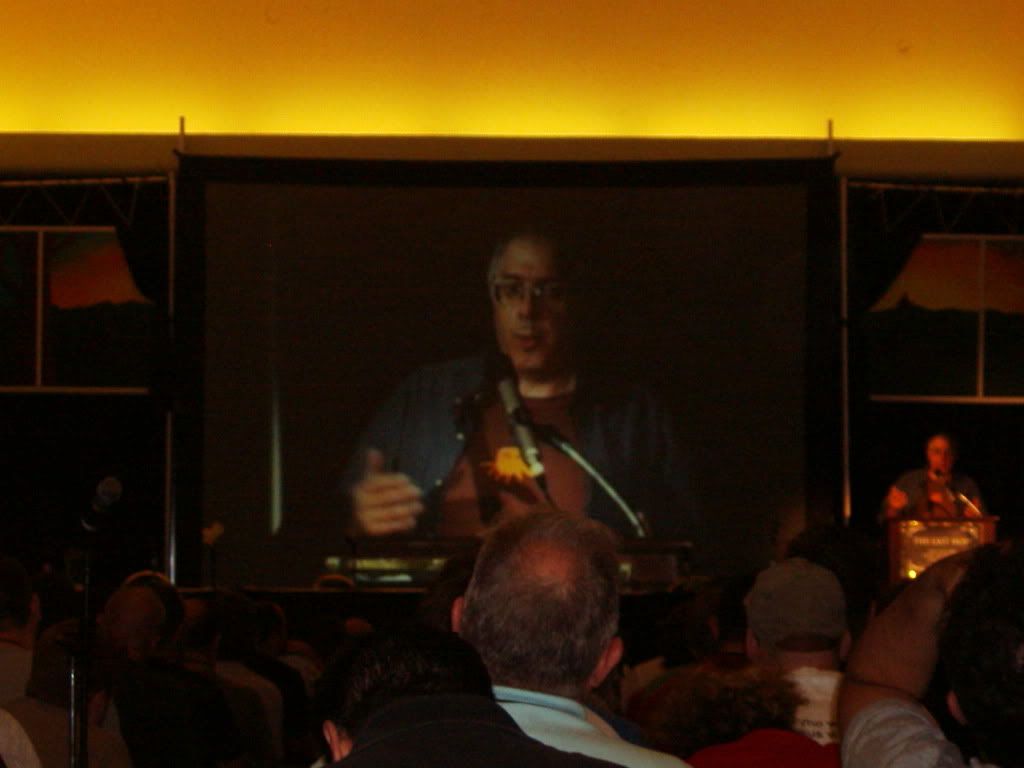
The Steven Levy talk was quite funny. I liked the part where he talked about interviewing Steve Jobs.
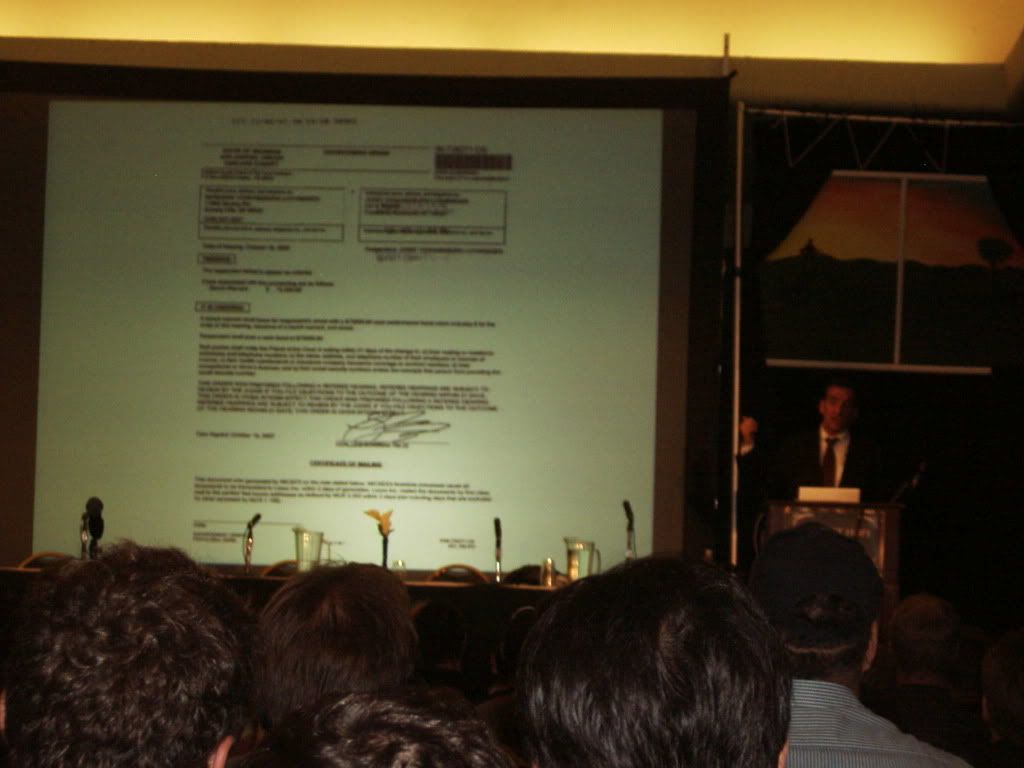
Steven Rambam's talk was LONG... 3 hours scheduled... and it went into overtime with the questions... and a lot of it was already covered in his other talk. Still, I had a good time. There's something about his assertiveness that I can't help but appreciate.
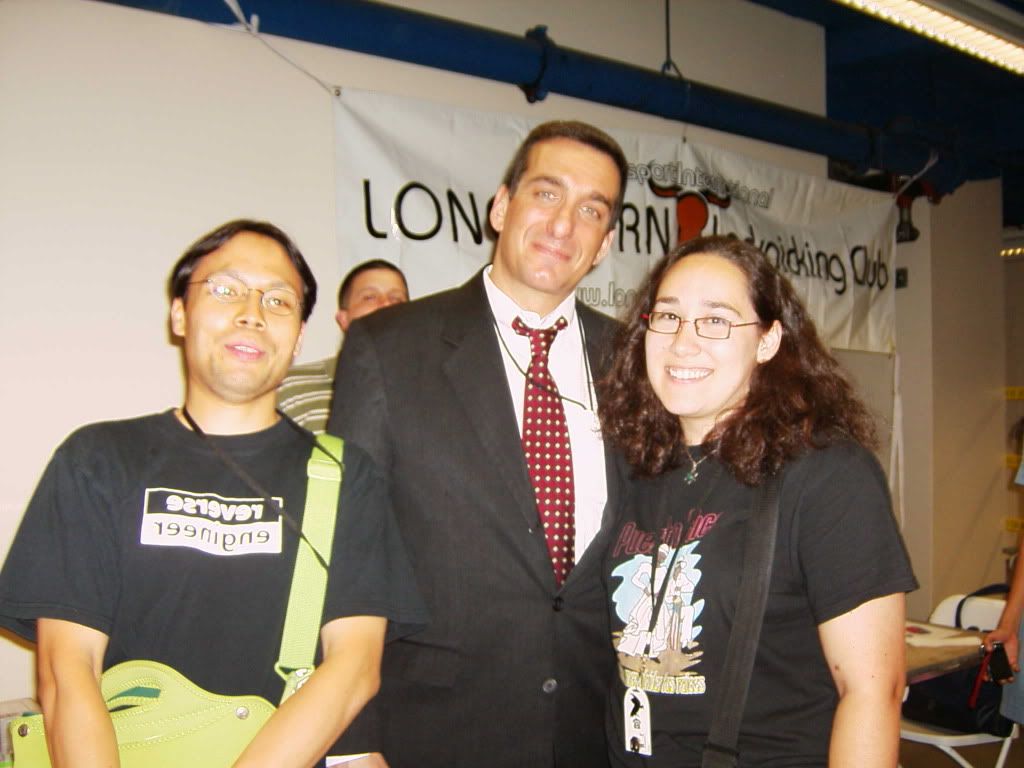
I got to meet some interesting people like Bernie S:
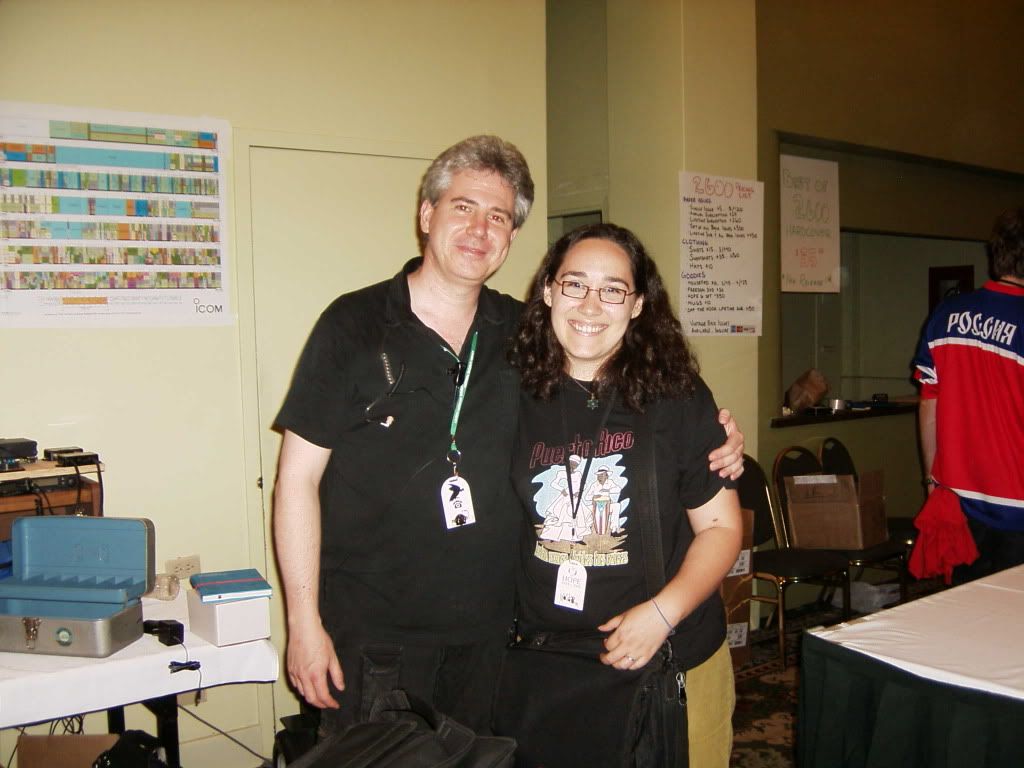
and Emmanuel Goldstein:
(who looks as if he's plotting things here...)
I must say, I really enjoyed the social engineering panel. It was really funny, and useful to prove just how much information you can get and how some people are a little too trusting. Maybe that shows that some people are still basically good... I'm not sure.
Even though I had planned to stay for Kevin Mitnick's talk, it was really late and things had been pushed back by almost an hour. I just couldn't stay any longer with DH at home alone...
On the last day, I have to say that the most interesting talks I went to were the two Pen Testing talks: (Pen testing using LiveCds by Thomas Wilhelm and Pen testing using Firefox by DaKahuna and ThePrez98), Adam Savage and Postal Hacking. All but the Postal Hacking talk were packed full. (i'll write more on this later...)
Edit: You can find torrents of some of the talks here.
I went with my good friend Matthew. I saw several talks of interest. The first talk I went to was ``Botnet Research, Mitigation and the Law.'' It was really interesting to hear from a lawyer as to what can and cannot be done when investigating these botnets. I have to find his email, however, because there were some more questions I wanted to ask him about this.
The next talk I went to was Kevin Williams Death Star Threat Modeling talk. It was really good and really funny. It was funny to see security models explained in a Star Wars way...
I really enjoyed the presentation by Lady Ada and pt. It was really interesting to see all of the things they could do with hardware. I was inspired :-) It was funny that they had their phone jammer there to block cell calls during the talk. I was kinda surprised how many cell phones went off during talks prior to that.
I also saw the ``Hacking Cool Things with Microcontrollers'' talk by Mitch Altman. It was interesting. He seems like an interesting guy with his cool colored hair :-) I liked his TV-be-gone product.
After a nice break, Matthew and I went to see the Cold Boot Memory Forensics talk. During the talk, the crowd was informed that some code was released as well. This was a very interesting talk. I'll have more to say on this one later...
The last talk I went to the first night was the Hacking FOIA talk. I missed some good talks that night, but there was not much I could do. I just couldn't stay.
Alright, I'm not going to list all of the other talks I went to, but a few. As for the pics, forgive me, I didn't have my usual camera with me so these didn't turn out as well...
The Steven Levy talk was quite funny. I liked the part where he talked about interviewing Steve Jobs.
Steven Rambam's talk was LONG... 3 hours scheduled... and it went into overtime with the questions... and a lot of it was already covered in his other talk. Still, I had a good time. There's something about his assertiveness that I can't help but appreciate.
I got to meet some interesting people like Bernie S:
and Emmanuel Goldstein:
(who looks as if he's plotting things here...)
I must say, I really enjoyed the social engineering panel. It was really funny, and useful to prove just how much information you can get and how some people are a little too trusting. Maybe that shows that some people are still basically good... I'm not sure.
Even though I had planned to stay for Kevin Mitnick's talk, it was really late and things had been pushed back by almost an hour. I just couldn't stay any longer with DH at home alone...
On the last day, I have to say that the most interesting talks I went to were the two Pen Testing talks: (Pen testing using LiveCds by Thomas Wilhelm and Pen testing using Firefox by DaKahuna and ThePrez98), Adam Savage and Postal Hacking. All but the Postal Hacking talk were packed full. (i'll write more on this later...)
Edit: You can find torrents of some of the talks here.
Friday, July 11, 2008
Maze Generator
I was looking for some files I had backed up from my old laptop when I came across a disk that contained old schoolwork. It was kind of fun looking at these projects I did as an undergraduate. So I decided to release them online. One project that was particularly fun was a maze generator using disjoint sets. It creates a graphical presentation of the maze and also prints it out to a text file of the user's choice.
I thought it might be fun for someone to play with.... but if not, no harm done.
An update can be found here
I thought it might be fun for someone to play with.... but if not, no harm done.
An update can be found here
Subscribe to:
Posts (Atom)