Though it's almost too late for this, I thought I would write briefly on BH DC. I had a blast while I was there and there were some very interesting talks. In case you are interested in the content of these talks, slides, papers, demos and videos are being uploaded to this site:
https://www.blackhat.com/html/bh-dc-09/bh-dc-09-archives.html
The talks I liked the most were:
Let Your Mach-0 Fly by Vincenzo Iozzo
This talk describes how to replace a running process in memory with another by unmapping the current process, replacing the header and enveloping the old process with the new process. It was really cool to see the demos, but if you watch the video (if it is uploaded), you will see he has trouble with the safari example. I didn't have time to confirm my suspicions, but I thought this is because he didn't supply the entire path to the desired executable. I came to him after the talk to ask about this, but things were so rushed at the end that I didn't get a chance to ask. I emailed him and he replied: ``I found the problem, I forgot to patch a known bug before my talk,'' so he seems to have found the problem. The code for this one is available online.
New Techniques for Defeating SSL/TLS by Moxie Marlinspike
I wasn't completely sure at first that this was going to be an interesting talk, but it turned out very nice. The title is misleading in that it wasn't really about SSL in general but about https specifically. He has a tool that can MITM connections by
stripping out references to https to http. While that is not as interesting, the more interesting part comes into play with the creation and usage of fake certificates to make things "secure". It was also funny how he used the favicon feature to make give a positive indicator by switching it with a padlock. I'm not sure how effective it would be against items like Yahoo!'s sign in seal (among others), but there are other interesting possibilities. The code for his presentation is also available online. (updated link)
Attacking Intel(R) Trusted Execution Technology by Joanna Rutkowska
and Rafal Wojtczuk
This was an awesome talk. It was a pleasure to see this team of famous researchers talk about the intense of TXT and how they could exploit it. The video for this one is up, it would definitely be worthwhile to watch it. The video for this one is available online. Joanna has also posted the videos from the slides here:
http://theinvisiblethings.blogspot.com/2009/02/attacking-intel-txt-paper-and-slides.html
Defending Against BGP Man-In-the-Middle Attacks by Earl Zmijewski
This was another awesome talk! I didn't know the fine details about routers before the talk, but the MITM attack is quite simple. It was also very interesting to see how they came to a solution for detecting these attacks. It was also interesting that there after they had refined their detection algorithm they only found three instances of the attack "in the wild", all of which could be explained. Another must read/watch I think, and Earl is entertaining :-)
Sunday, February 22, 2009

Monday, February 16, 2009
Blackhat DC
Looks like I'll be attending Blackhat DC this week. Should be fun. Not sure if I want to do the picks thing... but there are some interesting talks scheduled.
I will probably be sticking mainly to Track 2 talks, (with some exceptions) however...
I will probably be sticking mainly to Track 2 talks, (with some exceptions) however...
Monday, February 02, 2009
PTK on CentOS 5.2
Having some spare time over the weekend caused me to attempt an installation of PTK on my spare CentOS box. I've succeeded in getting it to run under Fedora, so I had a little bit of an idea of what I was getting myself into...
Before you get started, make sure you have the following packages installed:
If you need EWF or AFF support you can install them from:
After installing everything, you need to initialize MySQL (as root):
You must use quotes around the new-passwd you choose, and don't forget what it is!
You must also start the http server(as root):
Now you are ready to download and install PTK from sourceforge. I downloaded version 1.0.5.
In order to install PTK, extract the tarball in your webserver directory as root:
The last command above makes sure that all files are owned by the webserver user.
Now we have address a problem that still exists regarding the installation script. Go inside the ptk folder. At this point, you should see the install.php script. If you have Sleuthkit installed in /usr/local/bin the install script will not work as expected because this is not in its path. You can find out where it is installed by typing which plus one of the Sleuthkit commands e.g.:
If the path returned is /usr/local/bin then you can modify the install.php file by changing entries like:
to
and so on...
If all goes well, you will get to the options screen, which should look something like the following:
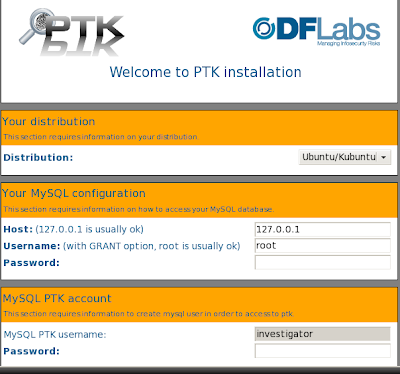
Fill everything out as you like (including distro) and press next. Now, when I installed PTK under Fedora, everything was ready to go at this point. With CentOS, it was another story. For some reason, things did not get updated with the extra configure scripts.
So, you have to manually add the locations for your Sleuthkit executables in the following files:
where config is the folder within the ptk folder [/var/www/html/ptk/config]. If you open up conf.pl it may look like:
Notice that there are some blank entries. Therefore you will have to enter the correct path for those executables.
All right, so I'm not going to make you do it... :-) Here are the modified files for my CentOS box. Just make sure you put then in the right places, and you might have to chown them as well.
Enjoy! and hope this helps someone out there...
Before you get started, make sure you have the following packages installed:
mysql
mysql-server
php
php-mysql
php-mbstring
httpd
Sleuthkit
If you need EWF or AFF support you can install them from:
After installing everything, you need to initialize MySQL (as root):
# /sbin/chkconfig mysqld on
# /sbin/service mysqld start
# mysqladmin -u root password 'new-passwd'
You must use quotes around the new-passwd you choose, and don't forget what it is!
You must also start the http server(as root):
# /sbin/service httpd start
Now you are ready to download and install PTK from sourceforge. I downloaded version 1.0.5.
In order to install PTK, extract the tarball in your webserver directory as root:
# cd /var/www/html
# ls
ptk-1.0.5.tar.gz
# tar -xzf ptk-1.0.5.tar.gz
# chown -R apache.apache ptk
The last command above makes sure that all files are owned by the webserver user.
Now we have address a problem that still exists regarding the installation script. Go inside the ptk folder. At this point, you should see the install.php script. If you have Sleuthkit installed in /usr/local/bin the install script will not work as expected because this is not in its path. You can find out where it is installed by typing which plus one of the Sleuthkit commands e.g.:
$ which istat
If the path returned is /usr/local/bin then you can modify the install.php file by changing entries like:
$istat = shell_exec("which istat");
to
$istat = shell_exec('export PATH="/usr/bin:/usr/local/bin"; which istat');
and so on...
If all goes well, you will get to the options screen, which should look something like the following:

Fill everything out as you like (including distro) and press next. Now, when I installed PTK under Fedora, everything was ready to go at this point. With CentOS, it was another story. For some reason, things did not get updated with the extra configure scripts.
So, you have to manually add the locations for your Sleuthkit executables in the following files:
config/conf.php
config/conf.pl
where config is the folder within the ptk folder [/var/www/html/ptk/config]. If you open up conf.pl it may look like:
installdir => '/var/www/html/ptk/',
md5_bin => '/usr/bin/md5sum',
sha1_bin => '/usr/bin/sha1sum',
fsstat_bin => '',
mmls_bin => '',
fls_bin => '',
istat_bin => '',
[snip]
Notice that there are some blank entries. Therefore you will have to enter the correct path for those executables.
All right, so I'm not going to make you do it... :-) Here are the modified files for my CentOS box. Just make sure you put then in the right places, and you might have to chown them as well.
Enjoy! and hope this helps someone out there...
Wednesday, January 28, 2009
Hash of a CD
Recently I had to see if two CDs were identical. I had the hash value of the iso for the desired content so I decided to check the hash for both CDs. There is really not that much to this post, but just in case someone ever needs to know how to do this I'll give you the command line how-to.
In my case, md5sum /dev/cdrom did not work. Now there is no reason to copy the CD to an iso file in order to do this. You can just use dd and pipe the output into md5sum or sha1sum.
I found that just doing a straight dd without extra options did not work. So you should use isoinfo to get the logical block size and the volume size to feed to dd (bs="Logical block size" and count="Volume size"). I decided to put this all into a bash script you can find here. The code is shown below:
It's not the most beautiful solution, but there it is. This uses md5, for other hashes just modify the script as needed. Also if your CD device is not /dev/cdrom modify that as well.
In my case, md5sum /dev/cdrom did not work. Now there is no reason to copy the CD to an iso file in order to do this. You can just use dd and pipe the output into md5sum or sha1sum.
I found that just doing a straight dd without extra options did not work. So you should use isoinfo to get the logical block size and the volume size to feed to dd (bs="Logical block size" and count="Volume size"). I decided to put this all into a bash script you can find here. The code is shown below:
INFO=`isoinfo -d -i /dev/cdrom \
|awk '{ if ($1 ~ /Volume/ && $2 ~ /size/ ) print $4; \
else if ($1 ~ /Logical/ && $2 ~ /block/ && $3 ~ /size/) \
print $5 endif }'`
INFO=($INFO)
echo "Logical block size: ${INFO[0]}"
echo "Volume size: ${INFO[1]}"
echo "Now executing: "
echo "dd if=/dev/cdrom bs=${INFO[0]} count=${INFO[1]} conv=notrunc,noerror,sync | md5sum"
dd if=/dev/cdrom bs=${INFO[0]} count=${INFO[1]} \
conv=notrunc,noerror,sync | md5sum
It's not the most beautiful solution, but there it is. This uses md5, for other hashes just modify the script as needed. Also if your CD device is not /dev/cdrom modify that as well.
Thursday, January 15, 2009
Practitioner's Guide to Capturing and Analysis of RAM
This is a late post, but I've been busy... I learned about this video from Moyix on the Volatility irc channel (#volatility on freenode). It's nice that people like vol2html. It encourages me to add more to it...
There's more info here if you are interested. I'm glad to see that memory analysis is getting more visibility. Cool stuff! Enjoy!
Dale Beauchamp - DojoSec January 2009 from Marcus Carey on Vimeo.
There's more info here if you are interested. I'm glad to see that memory analysis is getting more visibility. Cool stuff! Enjoy!
Dale Beauchamp - DojoSec January 2009 from Marcus Carey on Vimeo.
Sunday, January 11, 2009
vol2html.pl update
I made a small update to vol2html.pl. Since there are a lot of html files being generated, I thought it might be nice to allow the user to specify an output directory. So there is an extra (optional) option:
-D <output_dir>
if you want to print all html files to the another directory. If the directory does not exist, it is created. The script currently does not check if files exist in this directory and will clobber any files with the same name.
I have also added some more information about the open files. You can now see all processes that have the same open files and how many times each process has a file open. To do this, click on the process of interest and click open files. Each file name is linked to a report, which contain a list of all processes (by pid) that have the file open and how many times that process has the file open. There is a link to each pid as well.

Also new there is a link to the index.html file at the end of each report.
Since my website is down for now, you can get the updated script here. (updated 1/11/09 and moved from google code which was messing up some things)
Hopefully this is helpful.
Another update: Here's a second report to look at.
The venus website is down so if you need to download vol2html you can get it from the new Google code page
Still more to come....
-D <output_dir>
if you want to print all html files to the another directory. If the directory does not exist, it is created. The script currently does not check if files exist in this directory and will clobber any files with the same name.
I have also added some more information about the open files. You can now see all processes that have the same open files and how many times each process has a file open. To do this, click on the process of interest and click open files. Each file name is linked to a report, which contain a list of all processes (by pid) that have the file open and how many times that process has the file open. There is a link to each pid as well.

Also new there is a link to the index.html file at the end of each report.
Since my website is down for now, you can get the updated script here. (updated 1/11/09 and moved from google code which was messing up some things)
Hopefully this is helpful.
Another update: Here's a second report to look at.
The venus website is down so if you need to download vol2html you can get it from the new Google code page
Still more to come....
Tuesday, January 06, 2009
OT: Twitter
So I finally broke down and created a Twitter account recently. It started when I began watching a few people on Twitter. They often had very interesting Tweets related to my interests. After a while I realized that it would be easier to keep up with these Tweets by following these people with my own Twitter account.
Now, the reason I haven't had one up to this point was mostly because I was afraid of the privacy issues. While teaching undergraduate classes I have often been asked if I have a Facebook, Myspace, Twitter (or whatever) account so that students could ``befriend'' me. Till now I have abstained from these types of accounts mostly to avoid these types of student/teacher online friendships. Not that I dislike my students (I don't), but I just figured it might get uncomfortable at some point.
I am wondering if others have struggled with this issue. I know there are some people on Twitter who teach classes like me...
I have made my Tweets private for now to make sure that I know who is following me (but can you ever *really* know?). I know this is probably not the most favorable setup, but it makes me feel somewhat better that my inconsequential Tweets are not just openly exposed to everyone.
The people on Twitter are cool and information they give rocks. So far I am really enjoying it :-)
Now, the reason I haven't had one up to this point was mostly because I was afraid of the privacy issues. While teaching undergraduate classes I have often been asked if I have a Facebook, Myspace, Twitter (or whatever) account so that students could ``befriend'' me. Till now I have abstained from these types of accounts mostly to avoid these types of student/teacher online friendships. Not that I dislike my students (I don't), but I just figured it might get uncomfortable at some point.
I am wondering if others have struggled with this issue. I know there are some people on Twitter who teach classes like me...
I have made my Tweets private for now to make sure that I know who is following me (but can you ever *really* know?). I know this is probably not the most favorable setup, but it makes me feel somewhat better that my inconsequential Tweets are not just openly exposed to everyone.
The people on Twitter are cool and information they give rocks. So far I am really enjoying it :-)
Tuesday, December 09, 2008
VMWare Workstation machine to VMWare Server
Recently I received a VMWare image to work on. I had installed VMware Server 1.0.8 on my CentOS 5.2 laptop because 2.0 is just painful. Unfortunately the image had been created with a newer version of Workstation rendering it incompatible with my install. I found the VMware converter, but it wasn't much help since I'm on a Linux machine.
I created a new default machine using VMware Server with the basic settings matching that of the target machine, copied the resulting .vmx file into the folder of the target machine. (I could have just modified the original .vmx file, but just decided to start over cleanly.)
So now the vmware machine tries to boot, but fails with the following message:
One or more of your disk files were created by a more recent version of VMware software and are not supported by this version of VMware Server.
Then I modified the vmdk descriptor file from:
to
Worked like a charm :-)
I don't know if this will work in every case, but it might be helpful to someone.
I created a new default machine using VMware Server with the basic settings matching that of the target machine, copied the resulting .vmx file into the folder of the target machine. (I could have just modified the original .vmx file, but just decided to start over cleanly.)
So now the vmware machine tries to boot, but fails with the following message:
One or more of your disk files were created by a more recent version of VMware software and are not supported by this version of VMware Server.
Then I modified the vmdk descriptor file from:
ddb.virtualHWVersion = "7"
to
ddb.virtualHWVersion = "4"
Worked like a charm :-)
I don't know if this will work in every case, but it might be helpful to someone.
Monday, November 24, 2008
Vol2html Perl Script
During my forensics class I started thinking of a way to make it easier for my students to sort through the output of Volatility and starting writing a little perl script to create an html report of running processes, open files and dlls.
This is not finished as there is more information that I would like to correlate from the output of Volatility. But if you are somewhat curious, this is what I have so far: vol2html.pl. You can see an example report here. The output files for this report and the perl script are bundled together here. There is minimal error checking.
To use, first redirect the output of Volatility for pslist, dlllist and files to text files:
Then feed the perl script these files:
There is more coming...
The venus website is down so if you need to download vol2html you can get it from the new Google code page
This is not finished as there is more information that I would like to correlate from the output of Volatility. But if you are somewhat curious, this is what I have so far: vol2html.pl. You can see an example report here. The output files for this report and the perl script are bundled together here. There is minimal error checking.
To use, first redirect the output of Volatility for pslist, dlllist and files to text files:
./volatility pslist -f mem.dd > pslist.txt
./volatility files -f mem.dd >files.txt
./volatility dlllist -f mem.dd >dlllist.txt
Then feed the perl script these files:
./vol2html.pl -pslist pslist.txt \
-files files.txt -dlllist dlllist.txt
There is more coming...
The venus website is down so if you need to download vol2html you can get it from the new Google code page
Sunday, November 16, 2008
Permeate MITM
It's been a long while. For that I apologize... I guess I'm not a very good blogger when the semester is in full stride. Anyway, there's a new code release for Permeate, this time with the MITM detection built in. A paper we recently submitted to ICC 09 is available there as well. Shouts to Jarek and BK :-)
Enjoy!
Enjoy!
Thursday, October 23, 2008
PTK 0.2 Patch
In case you missed it, I've created a patch for PTK. You can find it here. This fixes the path issue for those who have Sleuthkit installed in /usr/local/bin. PTK 1.0 will be released soon and this will no longer be an issue.
Friday, October 10, 2008
PolyTech forensics challenge
Yay! Another former student, Fausto Dutan, is in the finals (one got third place last year). There's also a MS student from John Jay - Richard Alcalde. Go CUNY :-) Good luck to all of the finalists.
Edit 10/17: Richard Alcalde got 1st place! Congrats Richard :-)
Edit 10/17: Richard Alcalde got 1st place! Congrats Richard :-)
Monday, September 22, 2008
/proc/kcore part II
It will take me a few posts to go through the kcore file... The last kcore post dealt only with ELF headers of the kcore file. After the ELF header ends, there are 3 program headers:
From elf.h we see that the structure of a program header is:
A look at the first program header below:
The first program header is of type PT_NOTE (Auxiliary info) which has a value of 0x4
We can see that the offset is 0x94
The filesize has a value of 0x7d8
All other parts of the struct are set to 0x0
A look at the second program header below:
The type is of type PT_LOAD 0x1 (loadable program segment)
The offset is 0x38801000
vaddr is 0xf8800000 (vmalloc)
filesz and memsz are both 0x6ffe000
flags are 0x7 (PF_R | PF_W | PF_X)
page alignment is 0x1000 (size of a page - 4096)
The other remaining part of the structure (p_paddr) is 0x0
The third program header looks like:
The type is of type PT_LOAD 0x1 (loadable program segment)
The offset is 0x1000 (size of a page - 4096)
vaddr is 0xc0000000 (start of lowmem)
filesz and memsz are both 0x38000000 (size of (kcore-4096))
flags are 0x7 (PF_R | PF_W | PF_X)
page alignment is 0x1000 (size of a page - 4096)
The other remaining part of the structure (p_paddr) is 0x0
From my messages file to compare:
Notes
The next three sections will use this structure:
Looking at the first note (only the interesting part, the rest is zeroed out):
In this case the items shown are not in the same order of the struct. This is because they have been placed in a slightly different order.
First we have the size of the name: 0x5 (strlen(CORE)+1)
Then the data size: 0x90 (size of elf_prstatus struct)
Then the type: 0x1 (NT_PRSTATUS)
Then the name itself: CORE
And finally the data, which has been zeroed out (not shown).
The next note looks like the following:
First we have the size of the name: 0x5 (strlen(CORE)+1)
Then the data size: 0x7c (sizeof(struct elf_prpsinfo))
Then the type: 0x3 (NT_PRPSINFO )
Then the name itself: CORE
And finally the data, which uses the elf_prpsinfo structure:
The data consists of:
pr_state 0x0
pr_sname 0x52 (R)
pr_zomb 0x0
Executable file name (pr_fname) "vmlinux"
Saved command line (pr_psargs) up to 80 characters
ro root=/dev/VolGroup00/LogVol00 rhgb quiet
The rest is zeroed out from a memset command
The third note denotes information about the current task. Here is part of it:
First we have the size of the name: 0x5 (strlen(CORE)+1)
Then the data size: 0x690 (sizeof(struct task_struct) found in linux/sched.h)
Then the type: 0x4 (NT_TASKSTRUCT )
Then the name itself: CORE
And finally the data, which consists of `current' which is the current thread (not shown above).
Now we must dissect task_struct info, which we'll do a bit later...
From elf.h we see that the structure of a program header is:
typedef struct
{
 Elf32_Word    p_type;                 /* Segment type */
 Elf32_Off     p_offset;               /* Segment file offset */
 Elf32_Addr    p_vaddr;                /* Segment virtual address */
 Elf32_Addr    p_paddr;                /* Segment physical address */
 Elf32_Word    p_filesz;               /* Segment size in file */
 Elf32_Word    p_memsz;                /* Segment size in memory */
 Elf32_Word    p_flags;                /* Segment flags */
 Elf32_Word    p_align;                /* Segment alignment */
} Elf32_Phdr;
A look at the first program header below:
0000030: 0000 0000 0400 0000 9400 0000 0000 0000  ................
0000040: 0000 0000 d807 0000 0000 0000 0000 0000  ................
0000050: 0000 0000
The first program header is of type PT_NOTE (Auxiliary info) which has a value of 0x4
We can see that the offset is 0x94
The filesize has a value of 0x7d8
All other parts of the struct are set to 0x0
A look at the second program header below:
0000050: 0000 0000 0100 0000 0010 8038 0000 80f8  ...........8....
0000060: 0000 0000 00e0 ff06 00e0 ff06 0700 0000  ................
0000070: 0010 0000
The type is of type PT_LOAD 0x1 (loadable program segment)
The offset is 0x38801000
vaddr is 0xf8800000 (vmalloc)
filesz and memsz are both 0x6ffe000
flags are 0x7 (PF_R | PF_W | PF_X)
page alignment is 0x1000 (size of a page - 4096)
The other remaining part of the structure (p_paddr) is 0x0
The third program header looks like:
0000070: 0010 0000 0100 0000 0010 0000 0000 00c0  ................
0000080: 0000 0000 0000 0038 0000 0038 0700 0000  .......8...8....
0000090: 0010 0000
The type is of type PT_LOAD 0x1 (loadable program segment)
The offset is 0x1000 (size of a page - 4096)
vaddr is 0xc0000000 (start of lowmem)
filesz and memsz are both 0x38000000 (size of (kcore-4096))
flags are 0x7 (PF_R | PF_W | PF_X)
page alignment is 0x1000 (size of a page - 4096)
The other remaining part of the structure (p_paddr) is 0x0
From my messages file to compare:
Sep 15 12:28:57 kanga kernel:
Memory: 2060724k/2087616k available
(2252k kernel code, 25548k reserved, 1182k data, 284k init, 1170112k highmem)
Sep 15 12:28:57 kanga kernel: virtual kernel memory layout:
Sep 15 12:28:57 kanga kernel:     fixmap  : 0xffc53000 - 0xfffff000   (3760 kB)
Sep 15 12:28:57 kanga kernel:     pkmap   : 0xff400000 - 0xff800000   (4096 kB)
Sep 15 12:28:57 kanga kernel:     vmalloc : 0xf8800000 - 0xff3fe000   ( 107 MB)
Sep 15 12:28:57 kanga kernel:     lowmem  : 0xc0000000 - 0xf8000000   ( 896 MB)
Sep 15 12:28:57 kanga kernel:       .init : 0xc0761000 - 0xc07a8000   ( 284 kB)
Sep 15 12:28:57 kanga kernel:       .data : 0xc063337f - 0xc075ab88   (1182 kB)
Sep 15 12:28:57 kanga kernel:       .text : 0xc0400000 - 0xc063337f   (2252 kB)
Notes
The next three sections will use this structure:
struct memelfnote
{
        const char *name;
        int type;
        unsigned int datasz;
        void *data;
};
Looking at the first note (only the interesting part, the rest is zeroed out):
0000090: 0010 0000 0500 0000 9000 0000 0100 0000  ................
00000a0: 434f 5245
In this case the items shown are not in the same order of the struct. This is because they have been placed in a slightly different order.
First we have the size of the name: 0x5 (strlen(CORE)+1)
Then the data size: 0x90 (size of elf_prstatus struct)
Then the type: 0x1 (NT_PRSTATUS)
Then the name itself: CORE
And finally the data, which has been zeroed out (not shown).
The next note looks like the following:
                            0500 0000 7c00 0000  ............|...
0000140: 0300 0000 434f 5245 0000 0000 0052 0000  ....CORE.....R..
0000150: 0000 0000 0000 0000 0000 0000 0000 0000  ................
0000160: 0000 0000 0000 0000 766d 6c69 6e75 7800  ........vmlinux.
0000170: 0000 0000 0000 0000 726f 2072 6f6f 743d  ........ro root=
0000180: 2f64 6576 2f56 6f6c 4772 6f75 7030 302f  /dev/VolGroup00/
0000190: 4c6f 6756 6f6c 3030 2072 6867 6220 7175  LogVol00 rhgb qu
00001a0: 6965 7400 0000 0000 0000 0000 0000 0000  iet.............
00001b0: 0000 0000 0000 0000 0000 0000 0000 0000  ................
00001c0: 0000 0000 0000 0000
First we have the size of the name: 0x5 (strlen(CORE)+1)
Then the data size: 0x7c (sizeof(struct elf_prpsinfo))
Then the type: 0x3 (NT_PRPSINFO )
Then the name itself: CORE
And finally the data, which uses the elf_prpsinfo structure:
struct elf_prpsinfo
{
       char    pr_state;       /* numeric process state */
       char    pr_sname;       /* char for pr_state */
       char    pr_zomb;        /* zombie */
       char    pr_nice;        /* nice val */
       unsigned long pr_flag;  /* flags */
       __kernel_uid_t  pr_uid;
       __kernel_gid_t  pr_gid;
       pid_t   pr_pid, pr_ppid, pr_pgrp, pr_sid;
       /* Lots missing */
       char    pr_fname[16];   /* filename of executable */
       char    pr_psargs[ELF_PRARGSZ]; /* initial part of arg list */
};
The data consists of:
pr_state 0x0
pr_sname 0x52 (R)
pr_zomb 0x0
Executable file name (pr_fname) "vmlinux"
Saved command line (pr_psargs) up to 80 characters
ro root=/dev/VolGroup00/LogVol00 rhgb quiet
The rest is zeroed out from a memset command
The third note denotes information about the current task. Here is part of it:
                            0500 0000 9006 0000  ................
00001d0: 0400 0000 434f 5245 0000 0000 0000 0000  ....CORE........
00001e0: 0020 b2f0 0200 0000 0021 4000 ffff ffff  . .......!@.....
00001f0: 7800 0000 7800 0000 7800 0000 b086 8af0  x...x...x.......
0000200: b086 8af0 4072 63c0 0004 0000 0000 4000  ....@rc.......@.
0000210: 0100 0000 0000 0000 0000 0000 0100 0000  ................
0000220: 494c 6a33 c10a 0000 2fd2 1d00 0000 0000  ILj3..../.......
0000230: 85b4 abc6 0c01 0000 6134 0c00 0000 0000  ........a4......
0000240: 0000 0000 0000 0000 5669 0d00 0000 0000
First we have the size of the name: 0x5 (strlen(CORE)+1)
Then the data size: 0x690 (sizeof(struct task_struct) found in linux/sched.h)
Then the type: 0x4 (NT_TASKSTRUCT )
Then the name itself: CORE
And finally the data, which consists of `current' which is the current thread (not shown above).
Now we must dissect task_struct info, which we'll do a bit later...
Thursday, September 18, 2008
Visual Forensic Analysis
There's an interesting talk coming up at John Jay College:
Computer Science Department
United States Military Academy
For decades hex was the common tongue of reverse engineers and forensic analysts, but we can do better. Hex editors are the Swiss Army knives of low level analysis and have evolved significantly, but are now at a local maximum. With the tiny textual window hex provides, it is difficult, if not impossible to understand the big picture context and inner workings of binary objects - files, file systems, process memory, and network traffic. While there are helpful tools to analyze the special case of executable files, little work exists to help address the general case of all types of binary objects. This talk presents visual approaches to improve the art and science of forensic analysis, diffing, and reverse engineering, both in the context independent case where little is known about the raw structure of the binary data and at the semantic level where external knowledge can be used to inform analysis. If you are faced with low level analysis tasks, you should attend this talk.
Greg Conti is an Assistant Professor of Computer Science at the United States Military Academy. His research includes security data visualization and web-based information disclosure. He is the author of Security Data Visualization (No Starch Press) and the forthcoming Googling Security (Addison-Wesley). His work can be found at www.gregconti.com and www.rumint.org.
RSVP: Nicole Daniels at 212-237-8920 or email ndaniels@jjay.cuny.edu.
For additional information please contact Professor Doug Salane, Director of the Center for Cybercrime Studies, at 212-237-8836 or email dsalane@jjay.cuny.edu.
The Center for Cybercrime Studies
The John Jay College of Criminal Justice
Presents
Visual Forensic Analysis
Speaker: Greg Conti
Computer Science Department
United States Military Academy
For decades hex was the common tongue of reverse engineers and forensic analysts, but we can do better. Hex editors are the Swiss Army knives of low level analysis and have evolved significantly, but are now at a local maximum. With the tiny textual window hex provides, it is difficult, if not impossible to understand the big picture context and inner workings of binary objects - files, file systems, process memory, and network traffic. While there are helpful tools to analyze the special case of executable files, little work exists to help address the general case of all types of binary objects. This talk presents visual approaches to improve the art and science of forensic analysis, diffing, and reverse engineering, both in the context independent case where little is known about the raw structure of the binary data and at the semantic level where external knowledge can be used to inform analysis. If you are faced with low level analysis tasks, you should attend this talk.
Greg Conti is an Assistant Professor of Computer Science at the United States Military Academy. His research includes security data visualization and web-based information disclosure. He is the author of Security Data Visualization (No Starch Press) and the forthcoming Googling Security (Addison-Wesley). His work can be found at www.gregconti.com and www.rumint.org.
Date:        September 24, 2008
Time:        3:30 PM
Location:    Mathematics Conference Room - 4238N
             445 West 59th Street, New York City 10019
RSVP: Nicole Daniels at 212-237-8920 or email ndaniels@jjay.cuny.edu.
For additional information please contact Professor Doug Salane, Director of the Center for Cybercrime Studies, at 212-237-8836 or email dsalane@jjay.cuny.edu.
Friday, September 12, 2008
PyFlag on Windows
PyFlag is now available on Windows. I haven't had a chance to try it on Windows, but I will soon and then I'll report on it.
I've used it on Linux however, and it's really nice :-)
I've used it on Linux however, and it's really nice :-)
Tuesday, September 09, 2008
It's been a while...
Well, it's been a while since I've written anything. This is just a brief update for those who care... I've been busy and I switched locations for the semester. I'm not going to go over everything that's happened since my last post, but I'm teaching at John Jay College this semester instead of Queens College. It's still CUNY :-) and everything is still cool.
Oh, our paper was accepted :-) (this is not the final copy, but you get the gist) Edit: The schedule is up now.
What's next?
Oh, our paper was accepted :-) (this is not the final copy, but you get the gist) Edit: The schedule is up now.
What's next?
Thursday, August 14, 2008
ELF headers: executable vs /proc/kcore
This is for 32bit
According to elf.h:
Sizes for ELF32_* (in bytes):
Word: 4
Half: 2
Off: 4
Addr: 4
Looking at a regular binary like ls for example:
I'm using the ELF manual to analyze this.
The first line (16 bytes) is the (e_ident) value which consists of:
The ``magic'' value for the first four characters - 7f45 4c46
The file class (EI_CLASS) - 0x1 (ELF32CLASS)
Data encoding (EI_DATA) - 0x1 (ELFDATA2LSB) little endian
File version (EI_VERSION) - 0x1 current
Start of padded bytes (EI_PAD)
On the second line (e_type) 0x2 tells us it is an executable file
(e_machine) value 0x3 tells us that this was compiled on Intel Architecture
(e_version) value 0x1 tells us it is current
(e_entry) virtual address to which to control is given is 0x8049900
(e_phoff) Program headers start at offset 0x34
On the third line 0x17fec is the section header offset (e_shoff)
(e_flags) value 0x0 tells us that no flags are set
(e_ehsize) value of 0x34 tells that the header is of size 52 bytes decimal
(e_phentsize) value of 0x20 tells that one entry in the program header table size is 32 bytes
(e_phnum) value of 0x8 tells us the number of entries in the program header table is 8
(e_shentsize) value of 0x28 tells us the size of one entry in the section header table is 40 bytes
On the fourth line
(e_shnum) value of 0x20 tells us that number of entries in the section header table is 32
(e_shstrndx) value of 0x1f holds the section header table index of the entry associated with the section name string table
So what does /proc/kcore look like?
The first line is the same as above.
The second line:
(e_type) 0x4 tells us it is a core file (ET_CORE) *
(e_machine) value 0x3 tells us that this was compiled on Intel Architecture
(e_version) value 0x1 tells us it is current
(e_entry) virtual address to which to control is given is 0x0
(e_phoff) program headers start at offset 0x34
* this is useful to know if we are dealing with a core file...
In the third line:
(e_shoff) value is 0x0 letting us know there is no section header offset
(e_flags) value 0x0 tells us that no flags are set
(e_ehsize) value of 0x34 tells that the elf header is of size 52 bytes decimal
(e_phentsize) value of 0x20 tells that one entry in the program header table size is 32 bytes
(e_phnum) value of 0x3 tells us the number of entries in the program header table is 3
(e_shentsize) value of 0x0 tells us that there is no section header
The fourth line values are all 0x0
To make your life easier here is a C program that will extract all of that information for you :-) You must be root to run it.
Note: I know I could have done this a bit more elegantly, but decided against that...
According to elf.h:
#define EI_NIDENT (16)

typedef struct
{
  unsigned char e_ident[EI_NIDENT];     /* Magic number and other info */
  Elf32_Half    e_type;                 /* Object file type */
  Elf32_Half    e_machine;              /* Architecture */
  Elf32_Word    e_version;              /* Object file version */
  Elf32_Addr    e_entry;                /* Entry point virtual address */
  Elf32_Off     e_phoff;                /* Program header table file offset */
  Elf32_Off     e_shoff;                /* Section header table file offset */
  Elf32_Word    e_flags;                /* Processor-specific flags */
  Elf32_Half    e_ehsize;               /* ELF header size in bytes */
  Elf32_Half    e_phentsize;            /* Program header table entry size */
  Elf32_Half    e_phnum;                /* Program header table entry count */
  Elf32_Half    e_shentsize;            /* Section header table entry size */
  Elf32_Half    e_shnum;                /* Section header table entry count */
  Elf32_Half    e_shstrndx;             /* Section header string table index */
} Elf32_Ehdr;
Sizes for ELF32_* (in bytes):
Word: 4
Half: 2
Off: 4
Addr: 4
Looking at a regular binary like ls for example:
$ dd if=/bin/ls bs=52 count=1|xxd
1+0 records in
1+0 records out
52 bytes (52 B) copied, 3.6108e-05 s, 1.4 MB/s
0000000: 7f45 4c46 0101 0100 0000 0000 0000 0000  .ELF............
0000010: 0200 0300 0100 0000 0099 0408 3400 0000  ............4...
0000020: ec7f 0100 0000 0000 3400 2000 0800 2800  ........4. ...(.
0000030: 2000 1f00                                ...
I'm using the ELF manual to analyze this.
The first line (16 bytes) is the (e_ident) value which consists of:
The ``magic'' value for the first four characters - 7f45 4c46
The file class (EI_CLASS) - 0x1 (ELF32CLASS)
Data encoding (EI_DATA) - 0x1 (ELFDATA2LSB) little endian
File version (EI_VERSION) - 0x1 current
Start of padded bytes (EI_PAD)
On the second line (e_type) 0x2 tells us it is an executable file
(e_machine) value 0x3 tells us that this was compiled on Intel Architecture
(e_version) value 0x1 tells us it is current
(e_entry) virtual address to which to control is given is 0x8049900
(e_phoff) Program headers start at offset 0x34
On the third line 0x17fec is the section header offset (e_shoff)
(e_flags) value 0x0 tells us that no flags are set
(e_ehsize) value of 0x34 tells that the header is of size 52 bytes decimal
(e_phentsize) value of 0x20 tells that one entry in the program header table size is 32 bytes
(e_phnum) value of 0x8 tells us the number of entries in the program header table is 8
(e_shentsize) value of 0x28 tells us the size of one entry in the section header table is 40 bytes
On the fourth line
(e_shnum) value of 0x20 tells us that number of entries in the section header table is 32
(e_shstrndx) value of 0x1f holds the section header table index of the entry associated with the section name string table
So what does /proc/kcore look like?
# dd if=/proc/kcore bs=52 count=1|xxd
1+0 records in
1+0 records out
52 bytes (52 B) copied, 3.9321e-05 s, 1.3 MB/s
0000000: 7f45 4c46 0101 0100 0000 0000 0000 0000  .ELF............
0000010: 0400 0300 0100 0000 0000 0000 3400 0000  ............4...
0000020: 0000 0000 0000 0000 3400 2000 0300 0000  ........4. .....
0000030: 0000 0000                                ....
The first line is the same as above.
The second line:
(e_type) 0x4 tells us it is a core file (ET_CORE) *
(e_machine) value 0x3 tells us that this was compiled on Intel Architecture
(e_version) value 0x1 tells us it is current
(e_entry) virtual address to which to control is given is 0x0
(e_phoff) program headers start at offset 0x34
* this is useful to know if we are dealing with a core file...
In the third line:
(e_shoff) value is 0x0 letting us know there is no section header offset
(e_flags) value 0x0 tells us that no flags are set
(e_ehsize) value of 0x34 tells that the elf header is of size 52 bytes decimal
(e_phentsize) value of 0x20 tells that one entry in the program header table size is 32 bytes
(e_phnum) value of 0x3 tells us the number of entries in the program header table is 3
(e_shentsize) value of 0x0 tells us that there is no section header
The fourth line values are all 0x0
To make your life easier here is a C program that will extract all of that information for you :-) You must be root to run it.
Note: I know I could have done this a bit more elegantly, but decided against that...
Monday, August 11, 2008
Network Distance Script
I have decided to release some more code. I'm not claiming any of this is good, but it has served a purpose either personally or in the classroom at some point. The last item added is a distance perl script to measure Levenshtein distance of two pcap files.
I wrote this for some experiments with malware some time back. I figured I should share it in case it is of use to someone before I misplace it :-) More details are included in the script itself.
I wrote this for some experiments with malware some time back. I figured I should share it in case it is of use to someone before I misplace it :-) More details are included in the script itself.
Tuesday, July 29, 2008
Cuil Not So Cool
So after reading about the new search engine called Cuil, I couldn't wait to try it out. I didn't realize it had gone live until after reading about how much it failed. Most people complained about not being able to pronounce ``Cuil'' in spite of lots of publicity that it is pronounced ``Cool'' so maybe some people didn't bother to read. There were also disputes about what, if anything, Cuil returned during searching. So I decided to give it a try myself.
I decided to search for penguin. According to the right hand side of Cuil, there are 66,229,028 results for penguin.

First of all, the website design is really nice. I know that doesn't matter as much, but I had to say that :-) I also like the columns, the short snippets and the pictures to the side. I have to agree with Cuil that showing a picture can help the user determine relevance (FAQ #7).
There's even some tabs and a pull down menu across the top of the search to help narrow down your interest, such as ``Penguin Books'', ``Penguin Classics'', ``Penguin Putnam'', ``Linux Penguin'' etc.. Ok, that's nice.
Now for the vanity searches. First off, I'm not some conceited schmuck who likes to google herself all the time, but I know what should pop up when my name is entered. Here it goes: there are 3,619,749 results for the search term ``jamie levy'' (without quotes).
Ok, so something of mine is not on the first page like on Google. Big deal. There's something of mine on the second page:
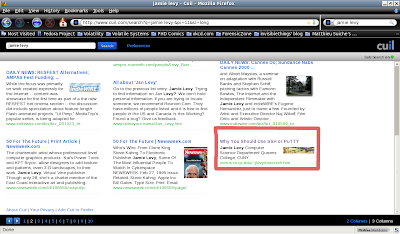
It's a tutorial of mine. It's kind of old, and it's kind of buried in my site... I thought I would at least see the index of my site if anything... Also, I'm not really sure what that picture is next to my page. I know I didn't put it there.
Ok, on the third page I see the same tutorial above as well as another OLD tuturial of mine that I forgot to take offline after I rewrote it. So that's bizarre, why would the first resulting tutorial repeat to the second page? What is that picture next to it? How did they find the old Unix tutorial?:
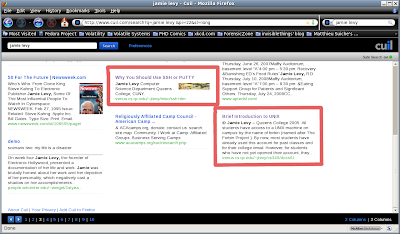
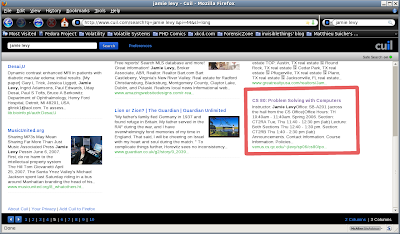
This seems to be a pattern, however as I found more repeats of these results and finally my index page on the fourth page of results. However, there is finally a correct picture next to the wireshark tutorial:
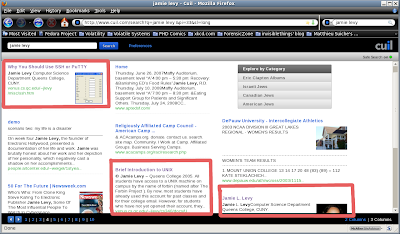
After looking just little bit more I found another old course page of mine, which repeats as well:
Ok, so what happens if I decide to narrow down my search and look for myself at the place where I work? Cuil only shows four results (though it claims there are 43,752 results), three of which we have already seen above. Look next to the Unix tutorial, do you find anything curious there? I did:
Who is that man in the picture? He's so mysterious.... I know I didn't put him there! Here's a closeup:
Bizarre is all I can say... Does his picture seem relevant to Unix? I wouldn't think so... but it seems like some of these pictures are just random. Also the stuff that Cuil pulls up seems as if it's from some older snapshot. I haven't quite figured it out.
Well, I won't bore you with details of other people I ``Cuil''ed, but I thought it was interesting that I couldn't find my past adviser at all when there are 815,000 pages in Google related to his name.
I guess he isn't ``Cuil'' enough... :-)
I decided to search for penguin. According to the right hand side of Cuil, there are 66,229,028 results for penguin.

First of all, the website design is really nice. I know that doesn't matter as much, but I had to say that :-) I also like the columns, the short snippets and the pictures to the side. I have to agree with Cuil that showing a picture can help the user determine relevance (FAQ #7).
There's even some tabs and a pull down menu across the top of the search to help narrow down your interest, such as ``Penguin Books'', ``Penguin Classics'', ``Penguin Putnam'', ``Linux Penguin'' etc.. Ok, that's nice.
Now for the vanity searches. First off, I'm not some conceited schmuck who likes to google herself all the time, but I know what should pop up when my name is entered. Here it goes: there are 3,619,749 results for the search term ``jamie levy'' (without quotes).
Ok, so something of mine is not on the first page like on Google. Big deal. There's something of mine on the second page:
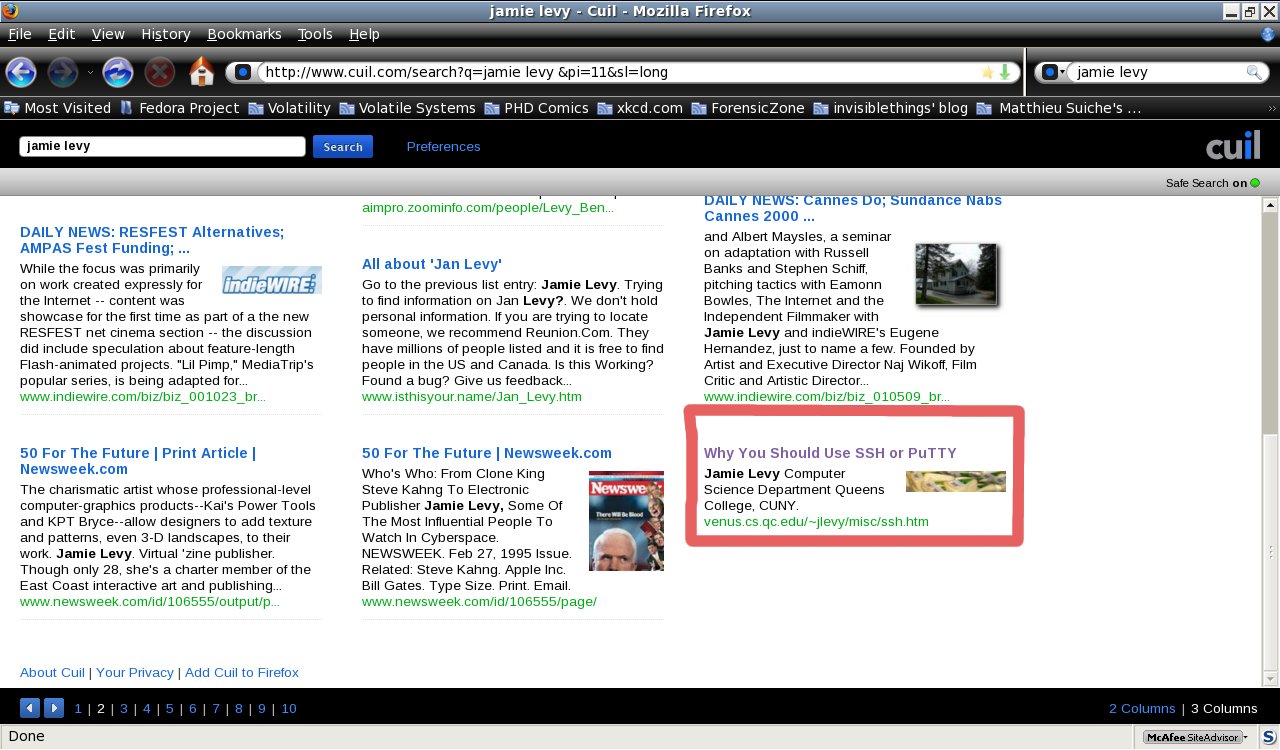
It's a tutorial of mine. It's kind of old, and it's kind of buried in my site... I thought I would at least see the index of my site if anything... Also, I'm not really sure what that picture is next to my page. I know I didn't put it there.
Ok, on the third page I see the same tutorial above as well as another OLD tuturial of mine that I forgot to take offline after I rewrote it. So that's bizarre, why would the first resulting tutorial repeat to the second page? What is that picture next to it? How did they find the old Unix tutorial?:
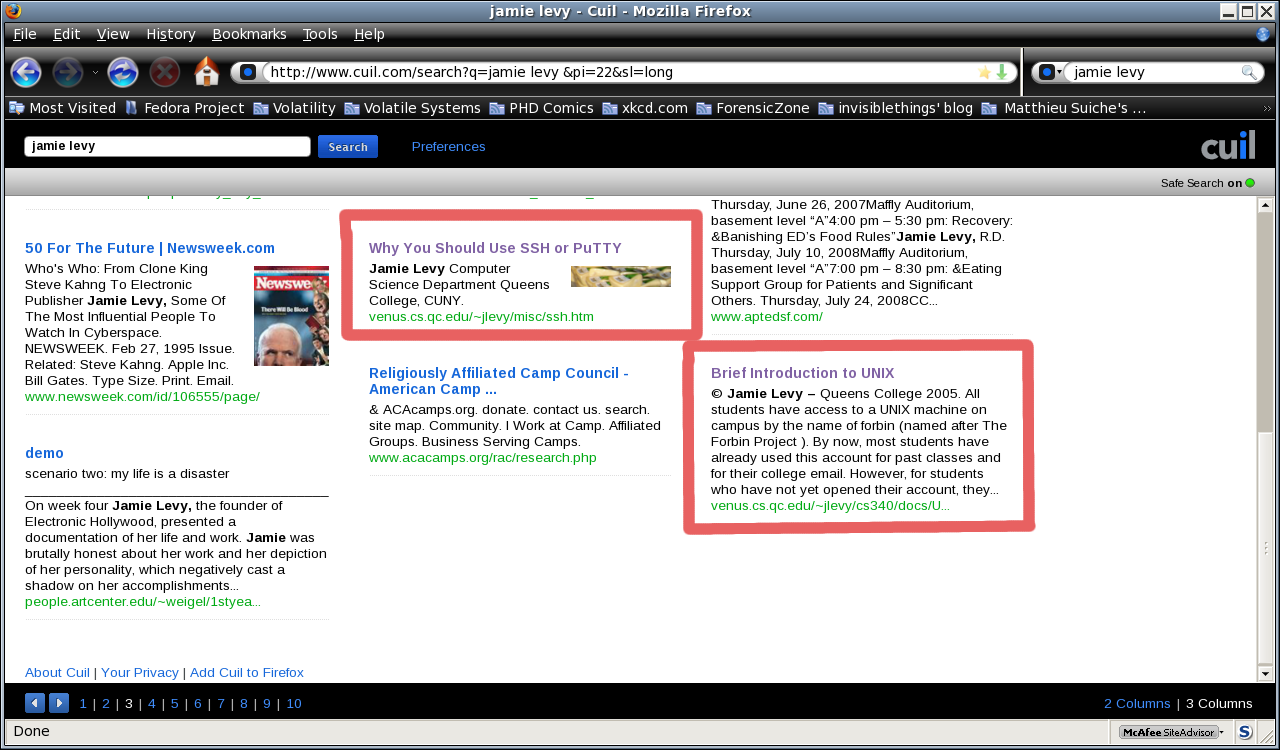
This seems to be a pattern, however as I found more repeats of these results and finally my index page on the fourth page of results. However, there is finally a correct picture next to the wireshark tutorial:
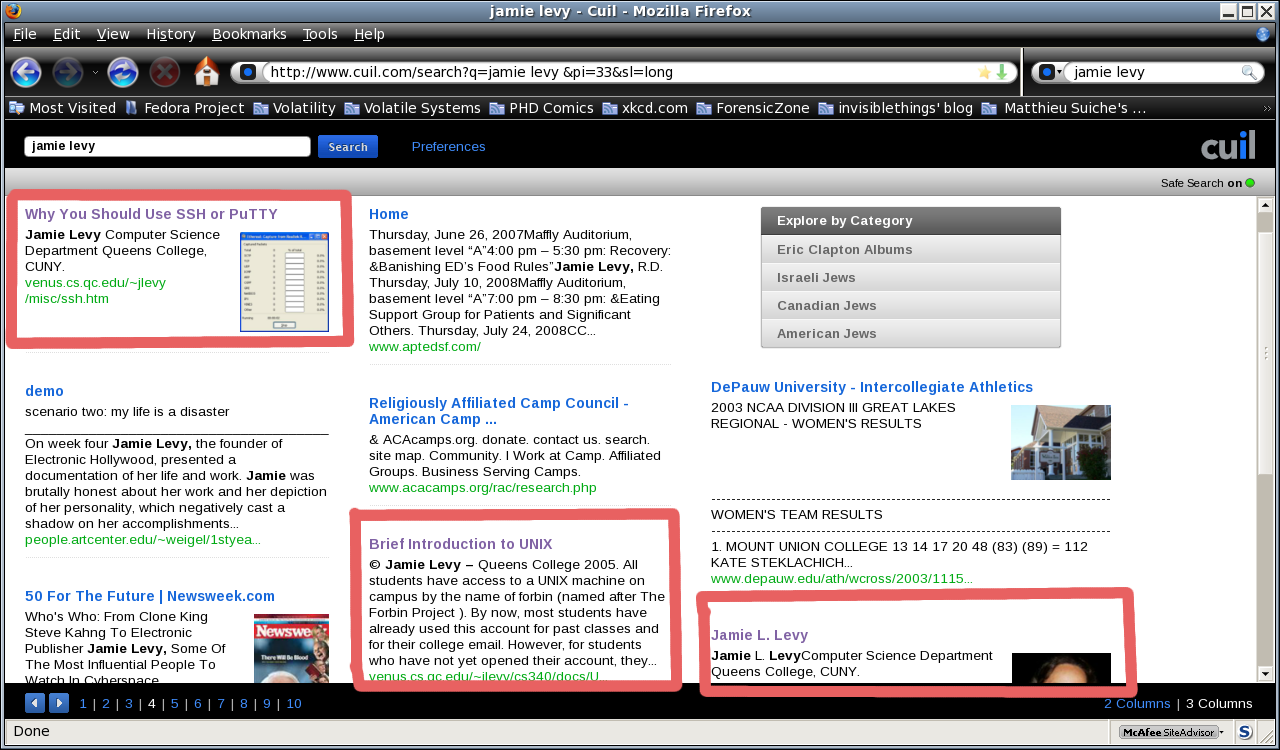
After looking just little bit more I found another old course page of mine, which repeats as well:

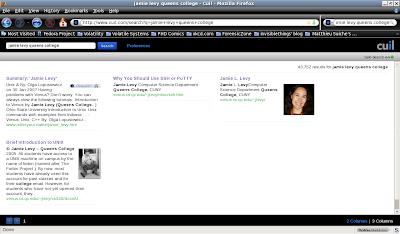
Ok, so what happens if I decide to narrow down my search and look for myself at the place where I work? Cuil only shows four results (though it claims there are 43,752 results), three of which we have already seen above. Look next to the Unix tutorial, do you find anything curious there? I did:
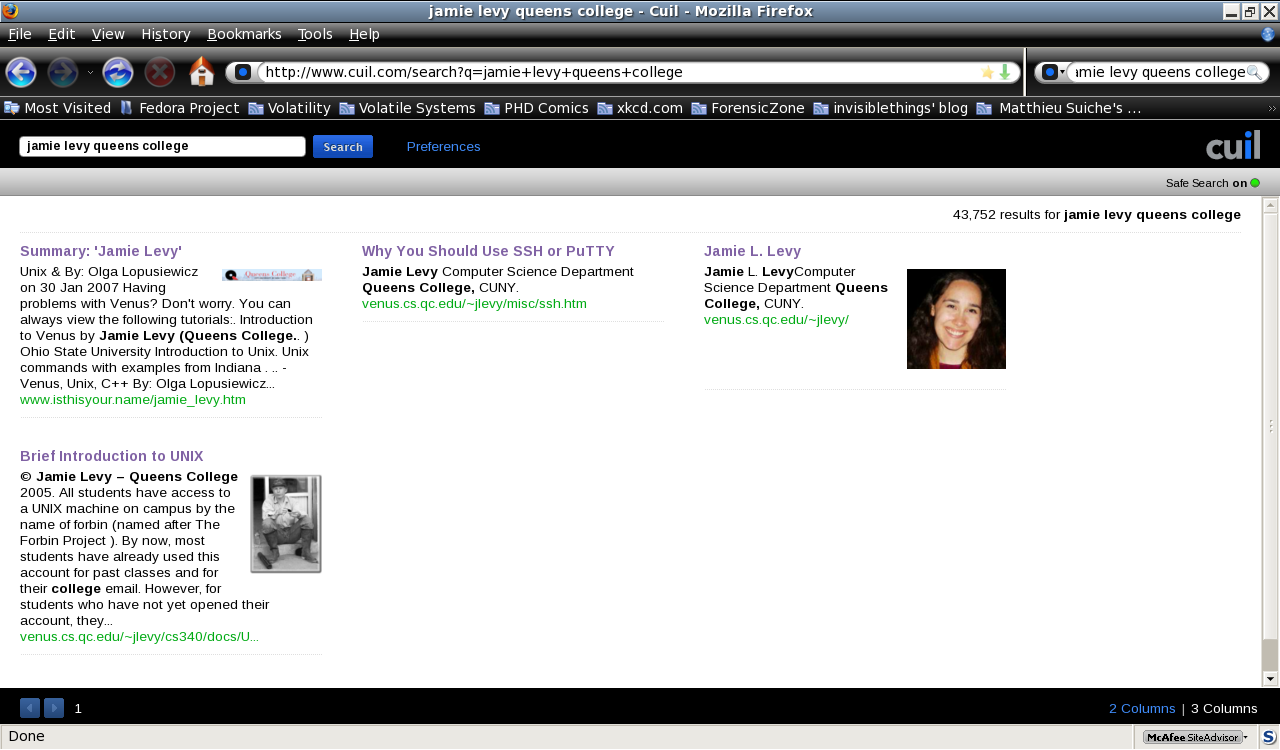
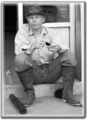
Who is that man in the picture? He's so mysterious.... I know I didn't put him there! Here's a closeup:
Bizarre is all I can say... Does his picture seem relevant to Unix? I wouldn't think so... but it seems like some of these pictures are just random. Also the stuff that Cuil pulls up seems as if it's from some older snapshot. I haven't quite figured it out.
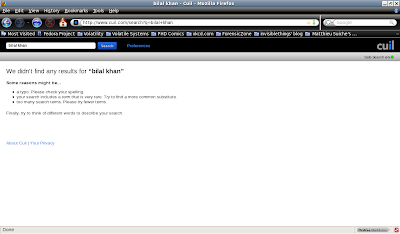
Well, I won't bore you with details of other people I ``Cuil''ed, but I thought it was interesting that I couldn't find my past adviser at all when there are 815,000 pages in Google related to his name.

I guess he isn't ``Cuil'' enough... :-)
Monday, July 21, 2008
The Last Hope (afterwards)
Man, The Last Hope was a blast. I'm still trying to get over it ending...
I went with my good friend Matthew. I saw several talks of interest. The first talk I went to was ``Botnet Research, Mitigation and the Law.'' It was really interesting to hear from a lawyer as to what can and cannot be done when investigating these botnets. I have to find his email, however, because there were some more questions I wanted to ask him about this.
The next talk I went to was Kevin Williams Death Star Threat Modeling talk. It was really good and really funny. It was funny to see security models explained in a Star Wars way...
I really enjoyed the presentation by Lady Ada and pt. It was really interesting to see all of the things they could do with hardware. I was inspired :-) It was funny that they had their phone jammer there to block cell calls during the talk. I was kinda surprised how many cell phones went off during talks prior to that.
I also saw the ``Hacking Cool Things with Microcontrollers'' talk by Mitch Altman. It was interesting. He seems like an interesting guy with his cool colored hair :-) I liked his TV-be-gone product.
After a nice break, Matthew and I went to see the Cold Boot Memory Forensics talk. During the talk, the crowd was informed that some code was released as well. This was a very interesting talk. I'll have more to say on this one later...
The last talk I went to the first night was the Hacking FOIA talk. I missed some good talks that night, but there was not much I could do. I just couldn't stay.
Alright, I'm not going to list all of the other talks I went to, but a few. As for the pics, forgive me, I didn't have my usual camera with me so these didn't turn out as well...

The Steven Levy talk was quite funny. I liked the part where he talked about interviewing Steve Jobs.

Steven Rambam's talk was LONG... 3 hours scheduled... and it went into overtime with the questions... and a lot of it was already covered in his other talk. Still, I had a good time. There's something about his assertiveness that I can't help but appreciate.

I got to meet some interesting people like Bernie S:

and Emmanuel Goldstein:

(who looks as if he's plotting things here...)
I must say, I really enjoyed the social engineering panel. It was really funny, and useful to prove just how much information you can get and how some people are a little too trusting. Maybe that shows that some people are still basically good... I'm not sure.
Even though I had planned to stay for Kevin Mitnick's talk, it was really late and things had been pushed back by almost an hour. I just couldn't stay any longer with DH at home alone...
On the last day, I have to say that the most interesting talks I went to were the two Pen Testing talks: (Pen testing using LiveCds by Thomas Wilhelm and Pen testing using Firefox by DaKahuna and ThePrez98), Adam Savage and Postal Hacking. All but the Postal Hacking talk were packed full. (i'll write more on this later...)
Edit: You can find torrents of some of the talks here.
I went with my good friend Matthew. I saw several talks of interest. The first talk I went to was ``Botnet Research, Mitigation and the Law.'' It was really interesting to hear from a lawyer as to what can and cannot be done when investigating these botnets. I have to find his email, however, because there were some more questions I wanted to ask him about this.
The next talk I went to was Kevin Williams Death Star Threat Modeling talk. It was really good and really funny. It was funny to see security models explained in a Star Wars way...
I really enjoyed the presentation by Lady Ada and pt. It was really interesting to see all of the things they could do with hardware. I was inspired :-) It was funny that they had their phone jammer there to block cell calls during the talk. I was kinda surprised how many cell phones went off during talks prior to that.
I also saw the ``Hacking Cool Things with Microcontrollers'' talk by Mitch Altman. It was interesting. He seems like an interesting guy with his cool colored hair :-) I liked his TV-be-gone product.
After a nice break, Matthew and I went to see the Cold Boot Memory Forensics talk. During the talk, the crowd was informed that some code was released as well. This was a very interesting talk. I'll have more to say on this one later...
The last talk I went to the first night was the Hacking FOIA talk. I missed some good talks that night, but there was not much I could do. I just couldn't stay.
Alright, I'm not going to list all of the other talks I went to, but a few. As for the pics, forgive me, I didn't have my usual camera with me so these didn't turn out as well...
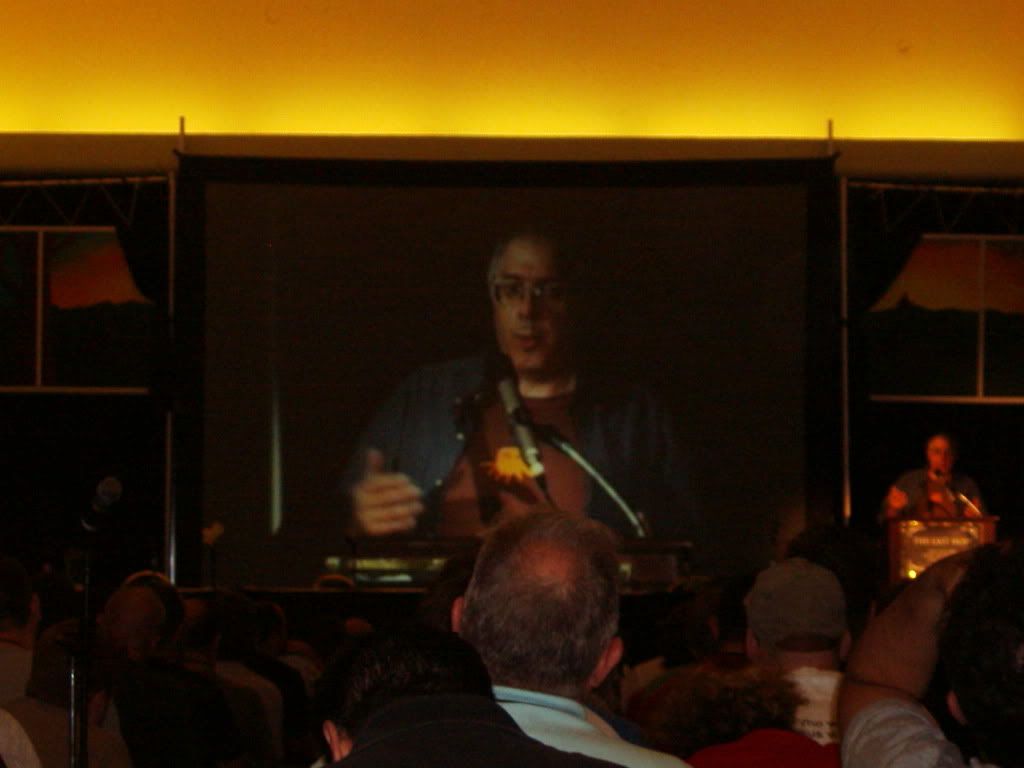
The Steven Levy talk was quite funny. I liked the part where he talked about interviewing Steve Jobs.
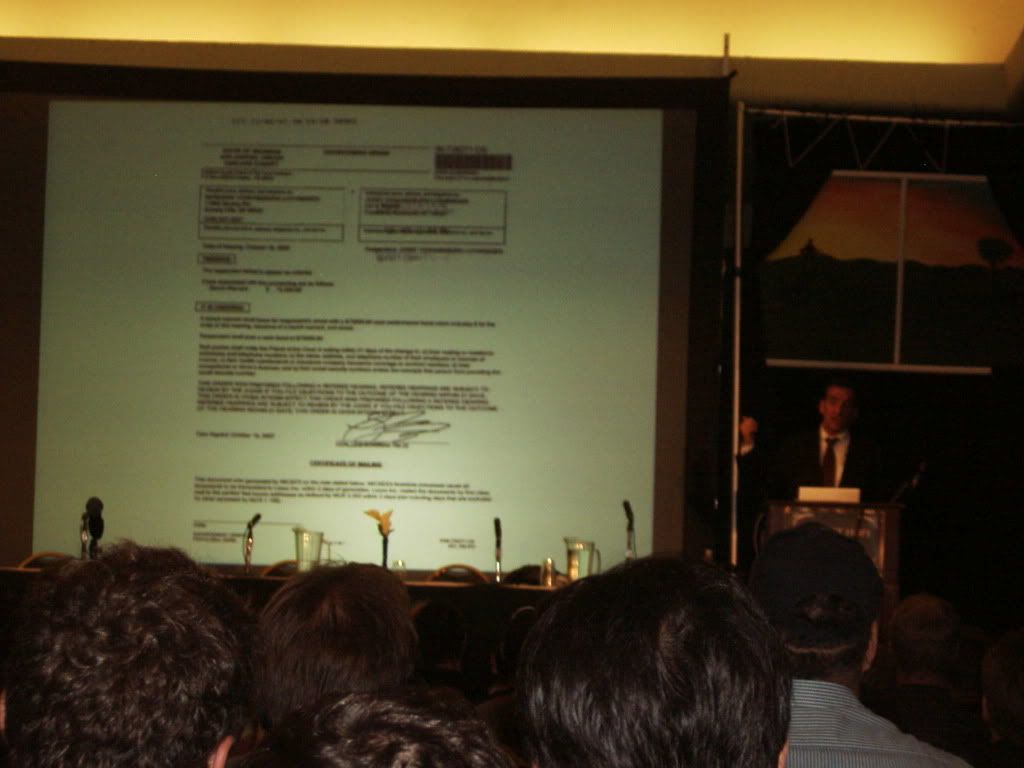
Steven Rambam's talk was LONG... 3 hours scheduled... and it went into overtime with the questions... and a lot of it was already covered in his other talk. Still, I had a good time. There's something about his assertiveness that I can't help but appreciate.
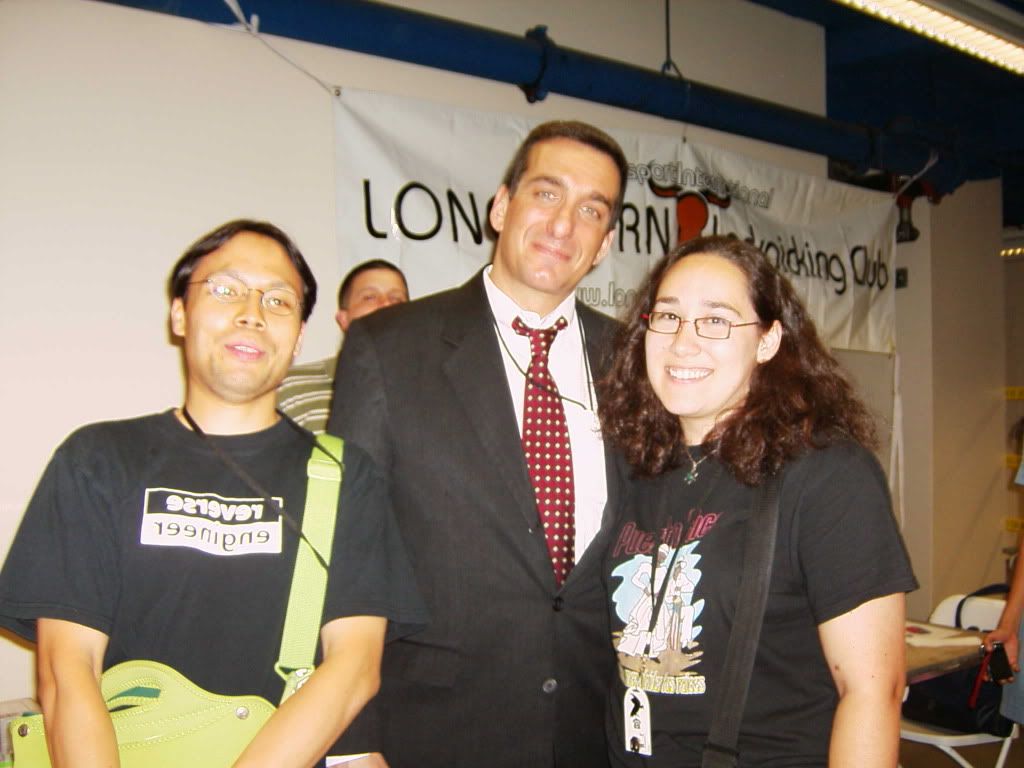
I got to meet some interesting people like Bernie S:
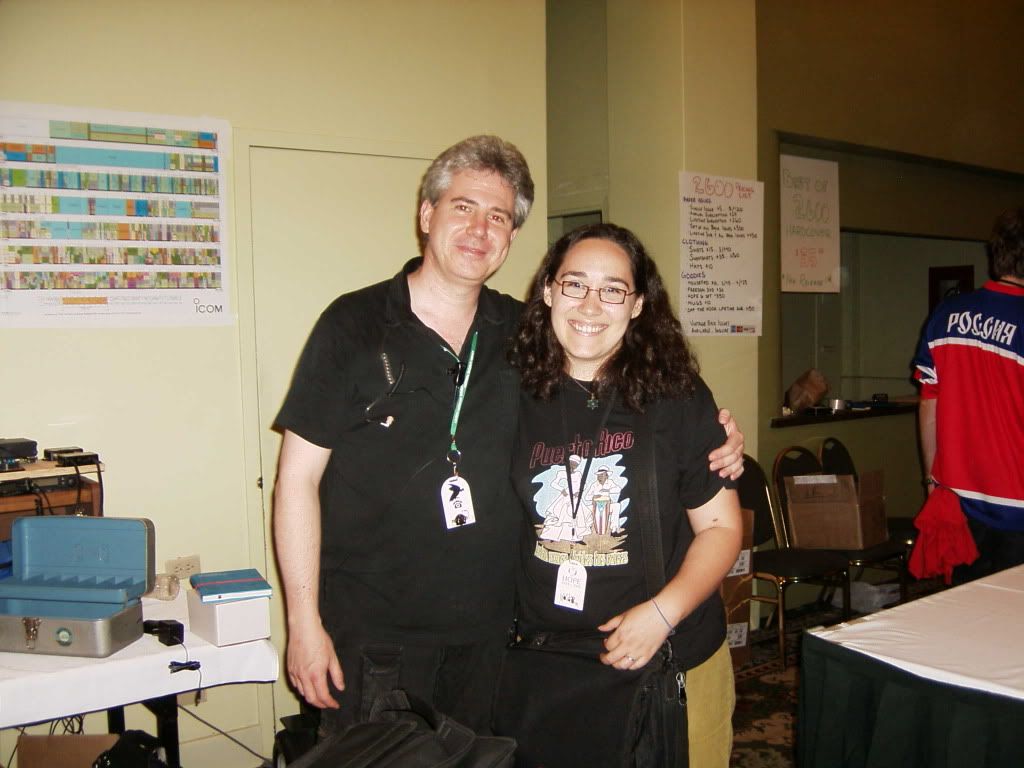
and Emmanuel Goldstein:
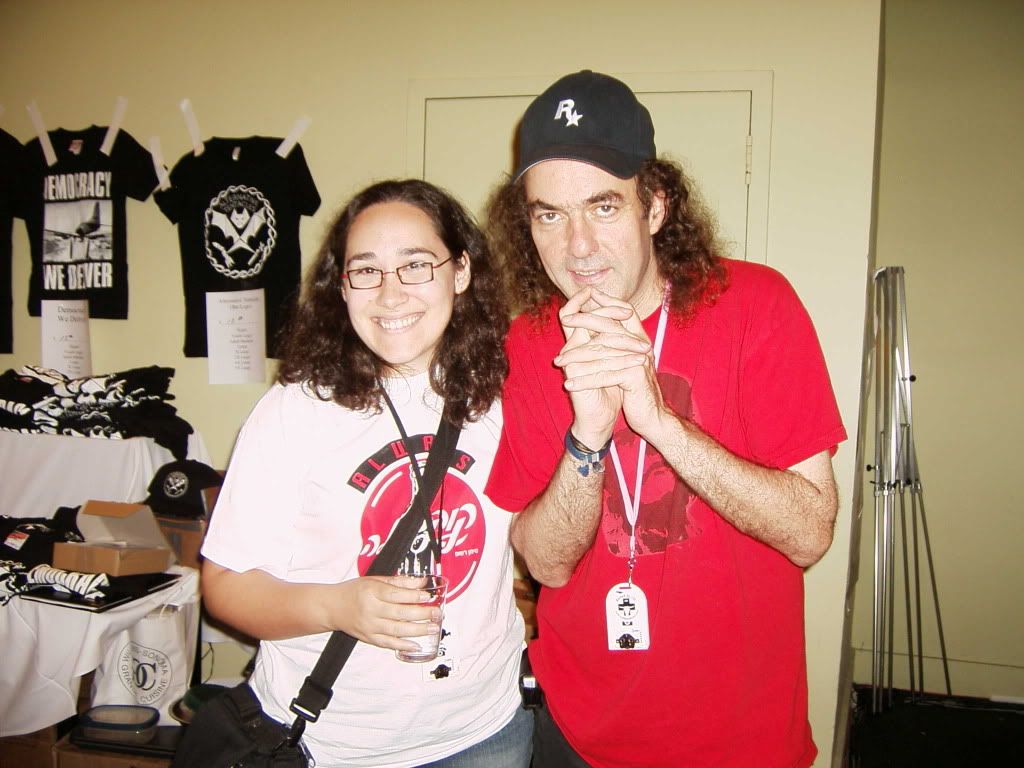
(who looks as if he's plotting things here...)
I must say, I really enjoyed the social engineering panel. It was really funny, and useful to prove just how much information you can get and how some people are a little too trusting. Maybe that shows that some people are still basically good... I'm not sure.
Even though I had planned to stay for Kevin Mitnick's talk, it was really late and things had been pushed back by almost an hour. I just couldn't stay any longer with DH at home alone...
On the last day, I have to say that the most interesting talks I went to were the two Pen Testing talks: (Pen testing using LiveCds by Thomas Wilhelm and Pen testing using Firefox by DaKahuna and ThePrez98), Adam Savage and Postal Hacking. All but the Postal Hacking talk were packed full. (i'll write more on this later...)
Edit: You can find torrents of some of the talks here.
Subscribe to:
Posts (Atom)